Welcome to the OneStream Community.
Recently active
OneStream Software — Community Terms of UseLast Updated: 1 June 2026These Terms of Use (the “Terms”) govern your access to and use of the OneStream Software online community named Community ( “Community”), a public forum for discussion, knowledge-sharing, and collaboration regarding OneStream Software LLC products and services, operated by OneStream Software LLC (“Company,” “we,” “us,” or “our”). By accessing or using the Community, you agree to be bound by these Terms.1. Definitions “Community” means the online forum and any related events, sub-communities, groups, and tools made available by Company under these Terms. “Company IP” means the Community platform, software, branding, and all materials made available by Company (excluding User Content). “Member” means any individual who registers for, accesses, or uses the Community. “User Content” or “Submissions” means any text, code, snippet, image, video, file, link, comment, vote, badge, profile information, or other content posted,
The Community’s mission is to provide OneStream administrators, solution consultants, developers and other technical professionals a central hub to solve real world problems, share knowledge, and engage with peers and OneStream.We are happy you are part of the OneStream Community! We encourage you to visit often and participate. Get into the habit of searching the site for information and ask your toughest questions. If you find a solution that works, let others know and pay it forward!Your participation is essential for this community to thrive, and you can do so in a range of ways: posting questions and sharing answers, leaving comments on new posts and articles, voting for ideas on the IdeaStream, or just thanking someone for a helpful contribution. Remember that the OneStream Community is powered by volunteered time from busy professionals such as yourself.Before you get started, please note the following about OneStream's policies and code of conduct. OneStream Community reserves
As a final reminder, the new OneStream Community will arrive on June 29, 2026. From June 19 at 2PM CST through June 29, the OneStream Community will be set to read-only mode. At this time, no new content can be posted, likes and comments will be disabled, and all member engagement opportunities will be temporarily frozen. You will still be able to browse and search for content as normal; just no new posts will be possible until the migration to the new platform has been completed. Once the migration is completed, you’ll be able to access the new OneStream Community by clicking the OneStream Community tile in Okta. To learn more about what to expect with the new Community, please read our The New Community Experience Arrives June 29, 2026 post.
Great dashboards don’t just look good — they drive clarity, confidence, and better decisions across the business. If you’re responsible for turning data into insight in OneStream, the Building Dashboards Certification is designed to validate exactly that skill set. For a limited time through the end of June, customers who have recently completed the Building Dashboards course are eligible to take the certification exam at a special 50% OFF promotional price. It’s the perfect moment to turn hands‑on learning into a credential that proves real‑world impact. Why Customers Pursue the Building Dashboards Certification Customers working toward this certification typically share the same goals: Deliver dashboards that executives trust and actually use Reduce manual reporting and last‑minute data scrambles Clearly communicate performan
This OnDemand module is intended for implementors and administrators who are new to coding and/or C# in OneStream. It contains a reference guide for VB.NET versus C# code for core C# topics such as data types, variable initialization, collection initialization, operators, jump statements, selection statements, loop statements, and try-catch statements. Delivery Types: On-Demand (OD) Duration: 15 Minutes Availability: This Course is Free Course Link: VB.Net Versus C# Reference Guide
The OneStream Certification Program is pleased to announce the availability of the https://www.onestream.com/ges/certification/exams/ exam! Individuals who successfully earn the OneStream Certified Specialist Financial Close certification are capable of performing Financial Close tasks such as, using Reconciliation Administration, TXM administration, adjustments and journal entries, TXM and reconciliation reporting, data splitting, etc. They are knowledgeable in basic accounting and/or finance principles, have a general understanding of CPM principles, and are ready to be staffed on their first Financial Close project. OneStream Certified Specialists in Financial Close have hands-on experience with the OneStream platform and a track record of successfully providing support or enablement. This exam is based on four courses in the OneStream Solutions series and the OneStream Essential Series: Getting Started with OneStream OneStream Solutions: Implementing OFC Account Reconc
The Express Development team is excited to share that CPM Express IFRS (PV930 SV100) was released on June 9th! What’s new in IFRS? This latest release delivers greater transparency and control for finance teams, introducing the Consolidation Helper for clear audit trails into elimination and consolidation entries, a detailed documentation around the consolidation engine, an enhanced Consolidation Hub to handle proforma and what-if, Intercompany Matching at the transaction currency level, along with reporting, performance, and usability enhancements. Want to learn more? Read: Review of the release notes and product documentation on the Solution Exchange. Want to get involved? If you are a customer and are interested in how CPM Express is used, please contact your implementation partner or Customer Success Manager. If you are a partner and would like to learn more about CPM Express, please contact your Partner Alliances Manager. Looking for Training?Instructo
This course is intended for administrators or consultants who want to build dashboards that can be used with the MBE. It covers dashboard design approaches, practical considerations, and explores how Smart Links can be used to share dashboards Delivery Types: On-Demand (OD) Duration: 1 Hour, 30 Minutes Availability: This Course is Free Course Link: Designing Dashboards for the MBE
This course is intended for administrators or consultants who want to distribute dashboards to MBE users by generating Smart Link URLs. It introduces Smart Links, reviews the required code, and explores three use case examples. Delivery Types: On-Demand (OD) Duration: 1 Hour Availability: This Course is Free Course Link: Creating Dashboard Smart Links for the MBE
Course Description: This course covers a complete, end‑to‑end introduction to Workforce Planning within the Line Item Modeling (LIM) solution. You will explore how to install and configure the solution, define and manage the Register, load and govern workforce data, build and use global/cube/lookup drivers, create formulas, manage filter groups, construct and calculate plans, apply security settings, and process results for reporting and dashboard analysis. Through guided examples and use cases, the course enables you to model, maintain, and analyze workforce plans. Delivery Types: On-Demand (OD) Duration: 8 hours Availability: This course is fee based/for purchase a la carte.This course is available via Passport Access. Course Link: Workforce Planning with LIM
Our goal is to deliver clear, accurate, and helpful OneStream product documentation, so we greatly value your comments on the content. As you explore topics on the https://documentation.onestream.com/1375907/Content/Home.html, we invite you to share your thoughts using our https://vimeo.com/1164745505?share=copy&fl=sv&fe=ci feedback system. When you’re using the documentation site, indicate if the content is helpful or unhelpful, and specify how, using the corresponding feedback forms. Include a short explanation of your experience to help us understand what you like or how we can improve, so we can continue to enhance the quality of our content. You can submit feedback anonymously or include contact information. Your constructive feedback can help inform content improvement and the user experience as we thoroughly review each submission. Visit our documentation site and share your voice!
Course Description: This module is the ideal starting point for learning how to maintain and build reports in OneStream. It introduces the various OneStream reporting options and points to the relevant training materials in our curriculum. Delivery Types: On-Demand (OD) Duration: 15 Minutes Availability: This Course is Free Course Link: OneStream Reporting Tools
We have an important update on the launch timing for the new OneStream Community. The new experience will now launch on Monday, June 29, 2026. The Community will enter read-only mode during the week prior to launch (June 22-26) as we prepare for the transition. What this means for you This additional time allows us to further refine and enhance the overall Community experience—ensuring a smoother, more seamless, and more modern platform from day one. Our focus is on delivering an experience that feels intuitive, reliable, and valuable the moment you log in. What’s next? We’ll share more updates as we get closer to launch. In the meantime, if you’re looking for full details on what’s changing, what to expect, and answers to common questions, check out our original announcement: The New Community Experience Arrives this June. More questions? We’d love to hear from you—drop your questions or feedback in the comments below. We sincerely appreciate your patience and understanding!
Course Description: This module provides an end-to-end walkthrough of Workforce Planning Express, from initial configuration and driver setup through workforce data integration, calculation, analysis, and loading results into the financial planning cube. Learners will see how Workforce Planning Express supports accurate, repeatable workforce cost planning and integrates workforce results into broader financial planning. Delivery Types: On-Demand (OD) Duration: 2 hours Availability: A La Carte, Navigator Passport Course Link: Configuring Workforce Planning Express
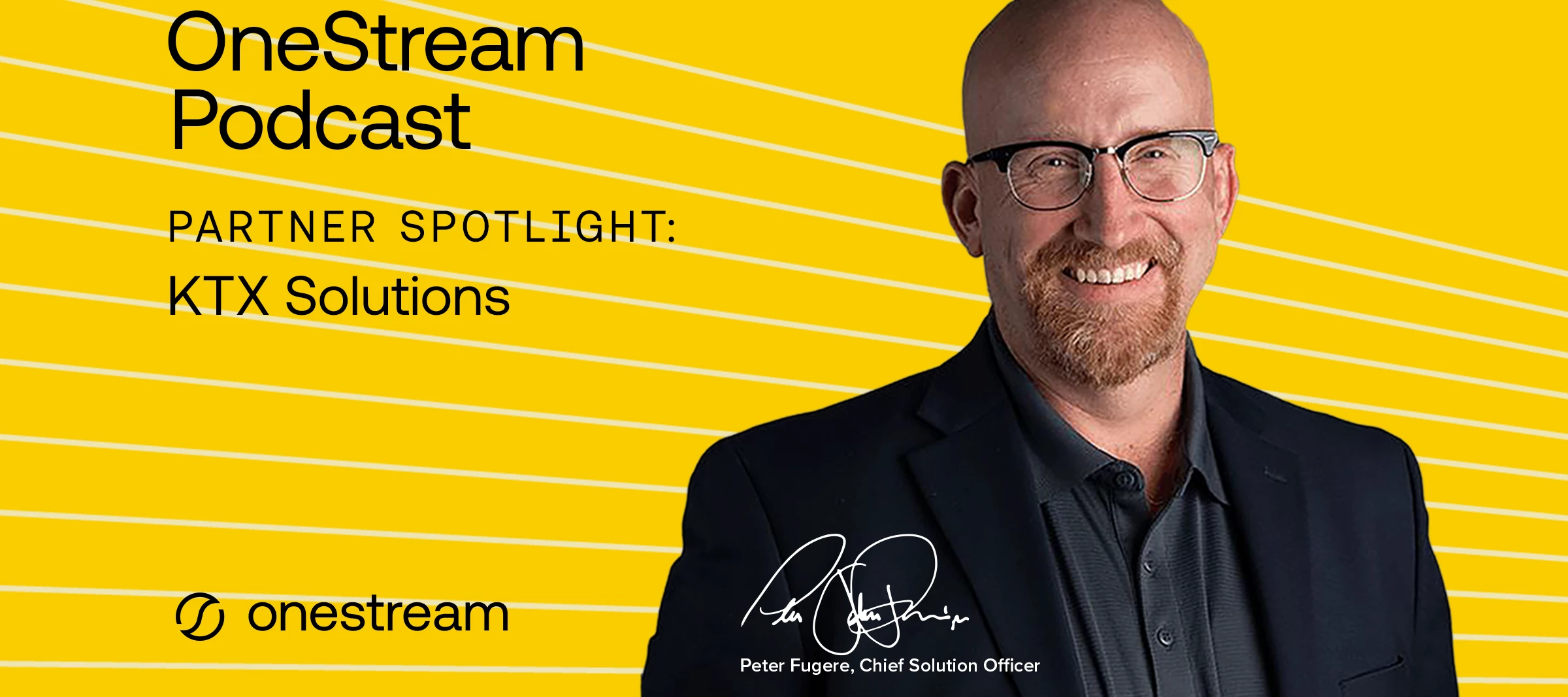
On Peter Fugere’s final episode of the OneStream podcast, Clint Holt from KTX Solutions joins him to discuss the implementation of OneStream's CPM Express. They explore the efficiency and speed of the implementation process, the importance of client engagement, and the transformative impact of AI on project delivery.
For decades, finance careers followed a familiar pattern. Early roles were built on repetition—reconciling accounts, chasing variances, managing close cycles. Over time, those experiences added up to judgment, confidence, and credibility. But today, that model is breaking. AI and automation are rapidly removing the “busy work” that once defined how finance professionals learned their craft. Teams are being asked to move faster, think more strategically, and guide the business through constant uncertainty—often without the traditional learning curve that used to get them there. The result is a new question for modern finance professionals: How do you prove you’re ready for a role that’s still evolving? From Number Crunchers to Strategic Architects Across the finance organization, expectations are rising. Finance is no longer viewed primarily as a reporting function. Instead, teams are expected to deliver insight
Course Description: This module guides learners through the foundational setup and installation of the OneStream ESG Reporting and Planning solution. Learners will review key readiness considerations and the steps required to establish a solid technical foundation for ESG reporting. Delivery Types: On-Demand (OD) Duration: 40 Minutes Availability: Customers, Partners, and Employees Course Link: ESG Fundamentals and Solutions Overview Course Description: This module is designed for anyone interested in learning about Environmental, Social, and Governance (ESG). Learners will benefit from a basic familiarity with the OneStream platform and an introductory understanding of ESG concepts. This module is comprised of self-paced eLearning. Delivery Types: On-Demand (OD) Duration: 40 Minutes Availability: NAVIGATOR PASSPORT EXCLUSIVE Course Link: ESG Overview Course Description: This module provides a comprehensive overview of how the ESG Reporting
Today is the first day of OneStream's Splash 2026! Discover the magic of modern finance at OneStream Splash, May 18-20 in Orlando, Florida at the Walt Disney World Swan and Dolphin Resort - bringing together a powerful community of finance leaders ready to Take Finance Further. Packed with inspiring keynotes, over 70 breakout sessions and onsite learning labs, it is a great opportunity to learn and network with other people in the OneStream environment. Are you joining us in Orlando? The OneStream Education Services team will be there, too! Training, Certification, and Community will have space on the expo floor to talk about all things Education Services. Training Come visit the Education Services Training booth to learn about our catalog of instructor-led and on-demand training courses. We’ll be there to answer your training questions and guide you on your OneStream learning journey. Certification Visit the Certification booth to claim your OneStream Certified pins! Have
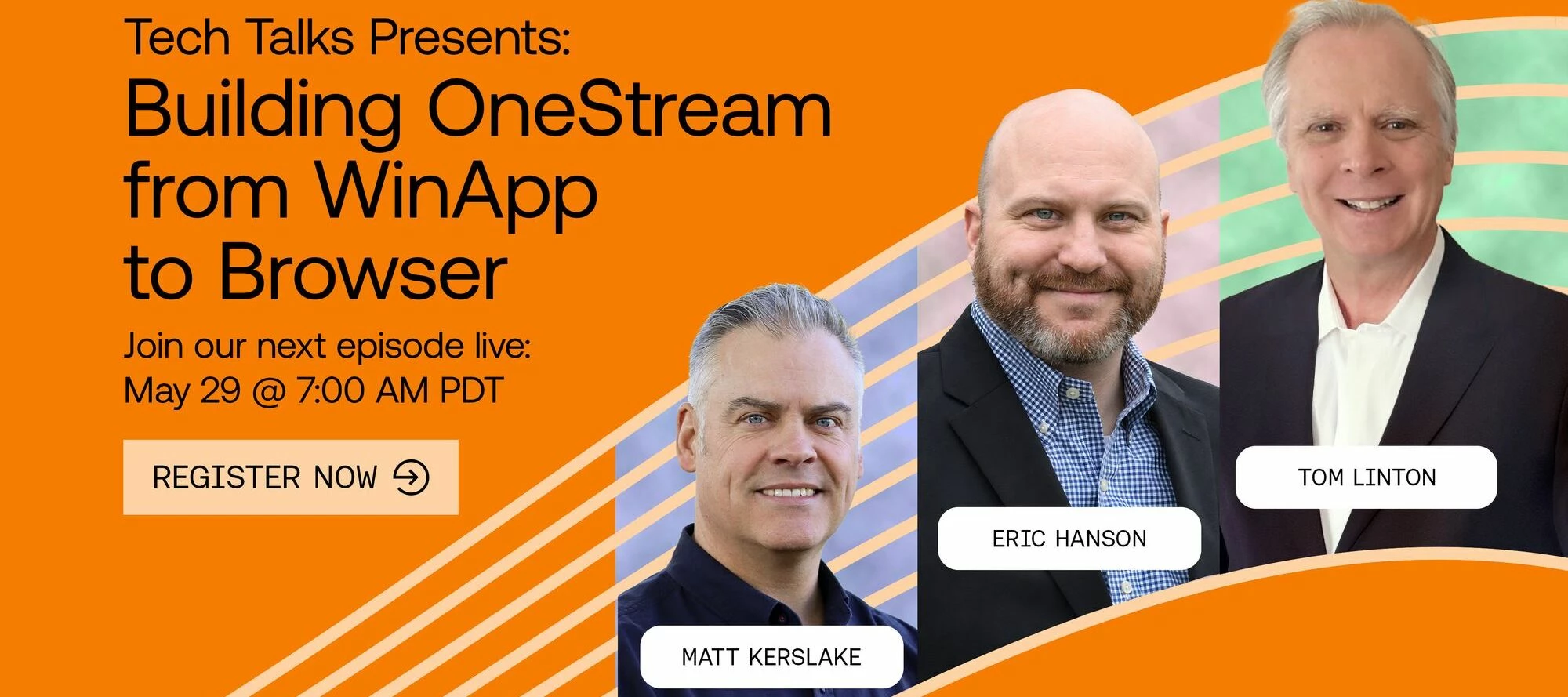
Join Eric Hanson, Tom Linton and Matt Kerslake as they explore bringing a OneStream application created through the Windows App and building it out through the browser! Eric will share tips, insights and guiding principles to optimize your OneStream browser experience! Register now! https://www.onestream.com/events/tech-talks-building-onestream-from-winapp-to-browser/
As OneStream continues to evolve, so does the way you learn, apply, and expand your expertise. Global Education Services (GES) has released a new wave of courses, certifications, technical deep dives, and enablement resources—each designed to help you move faster, make better decisions, and deliver real impact in your organization. Whether you're focused on financial close, reporting, planning, or development, your next step starts here. Explore all learning opportunities in OneStream Community and Navigator. Close Faster and with More Confidence (Finance Teams) Accelerate your close and validate your expertise with targeted certification and reporting training. OneStream Certified Specialist (OCS) – Financial Close exam OCS Financial Close study guide Reports and Dashboards Certification Exam Prep webinar (now free in Navigator) Strengthen your reporting and operational readiness with: OneStream Reporting Tools (free Navigator module) Journal Entry Manager Readiness Toolkit (update
Course Description: Using Business Rules for dashboards within workspaces, centralizes and reuses logic across the OneStream platform, enabling calculations, validations, and processes without duplicating logic. This module focuses on Business Rules, how they are used within dashboards, and how they work with workspaces, and other OneStream platform components. Delivery Types: On-Demand (OD) Duration: 2 hours, 30 minutes Availability: NAVIGATOR PASSPORT EXCLUSIVE Course Link: Applying Dashboard Rules: Concepts and Use Cases
Mark your calendar! The launch date for the new OneStream Community is now set. On Monday, June 8, June 29 the OneStream Community will upgrade to a new platform, providing a new experience for all new and existing users. This move will bring new enhancements and an overall better experience to the Community you know and love. Why are we updating the OneStream Community? Our goal is to empower every member of the OneStream Community with A PLATFORM that enhances connection, accelerates learning, and makes engaging with the community easier and more valuable than ever. The OneStream Community team is committed to ensuring our users always have access to the best possible experience. We’re investing in cutting edge AI capabilities, modern design, and smarter tools—all delivered through a trusted, reliable, and secure platform you can depend on. ENHANCED analytics—paired with new customization capabilities—will allow us to tailor experiences to each mem
This episode of The OneStream Podcast is all about AI and your data. Peter Fugere and Om Kapoor discuss how organizations can prepare their data for AI integration, OneStream’s AI solutions for data readiness, governance, and the emerging era of agentic AI.
Course Description: This OnDemand module is intended for implementors and administrators who are new to coding and/or C# in OneStream. This module introduces methods for organizing code, including comments, regions, and OneStream Function Names. It also reviews common code formatting conventions, such as indentation, braces, and naming conventions. Recognizing how to organize code sections is important for readability, maintenance, and understanding which sections of code run. Delivery Types: On-Demand (OD) Duration: 30 minutes Availability: Customers, Partners, and Employees Course Link: Organizing C# Code
Instructor Led June 2-4, 2026 | Virtual | CET CPM Express (CPMx) IFRS accelerates time to value (TTV) with a completely extensible application, providing best practice design principles, with a flexible starting point, for customers to commence their OneStream journey. This course is designed to provide implementation consultants and system administrators with a detailed view of the CPMx IFRS offering, exploring the pre-built metadata structures, consolidation methods, workflows and forms, along with a number of optional elements that can be configured to enhance applications. Through instructor-led demonstrations and practical hands-on exercises, attendees will examine the key design decisions and steps required to leverage and extend the wide array of preconfigured “out-of-the-box” components. Date: Tue, Jun 2nd 2026 04:00 am – Thu, Jun 4th 2026 11:00 am (UTC-04:00 / EDT) Register Today Instructor Led June 2-4, 2026 | Virtual | EDT CPM Express accelerates time to value (TTV) with a
Already have an account? Login
No account yet? Create an account
Enter your E-mail address. We'll send you an e-mail with instructions to reset your password.