Newcomer
December 22, 2021

WorkFlow Profile Rename Possible via BR ?

  • December 22, 2021
  • 5 replies
  • 0 views

Hi Team,

Is there any magical code / function to rename the workflow using some business rule.

or direct update in the table ?
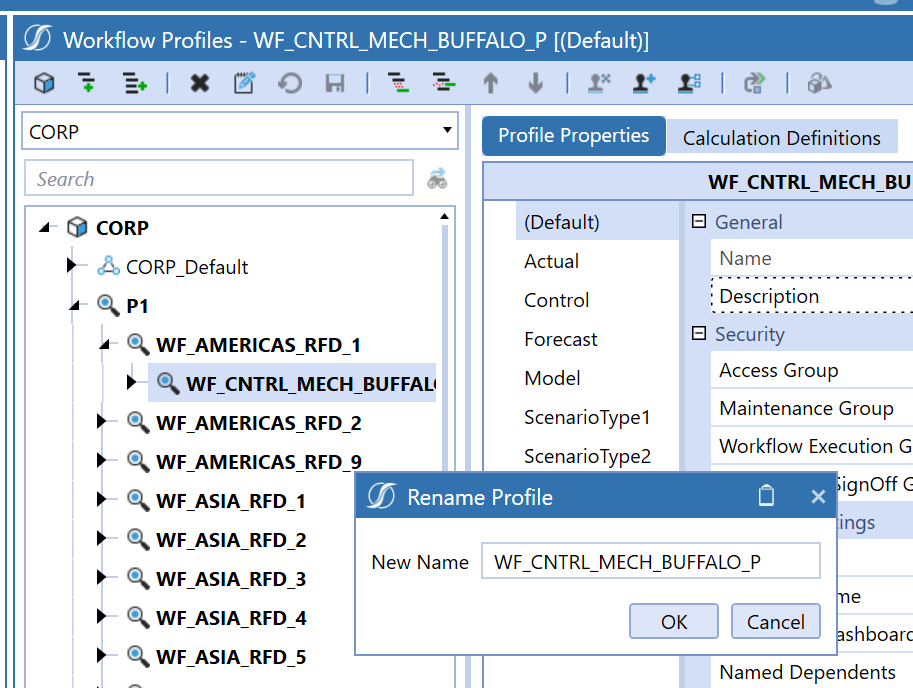
 

image


Regards and Thanks

Darpan Bhansali

5 replies

Veteran
December 22, 2021

Hi Darpan!
I am no magician but did you try to use the SQL Editor to query the table WorkflowProfileHierarchy. You will find the ProfileName there as a field. I have never tested it as it seems dirty, but technically that could work. Can you give me a feedback on that… I am curious.
I do not know how to change WF names from BR. (I think you can not)
Thanks

darpan13Author
Newcomer
December 22, 2021

Hi Nicolas,

As you mentioned it’s dirty… we are even afraid to do that.

2 tables are in there (as per our knowledge) which needs to be updated, not sure on any other.


https://discourse-static.influitive.net/uploads/db_8467a788_7b9e_45b8_8b6c_d37e1967220d/original/1X/8ac1a5a4a1b4080108414f329ae8320efd16a775.png
OneStream Employee
December 22, 2021

There is currently not a supported BRApi that will enable you to rename a workflow via a business rule. I would suggest creating an enhancement for this as it would be nice to be able to both create a workflow and update a workflow's name via BRApi in a business rule.


Nick Kroppe

OneStream Software

OneStream Employee
December 23, 2021

Be careful with renaming Workflows, there are a lot of other objects dependant on Workflow names.  

Newcomer
December 28, 2021

I tend to just export the WF to xml, update the name, reload the xml file, then delete the old WF.

Contributor
January 3, 2022

ChristianW is right. Writing directly to the tables is not a good idea and if you are on the cloud may not even be possible.
