


Member
September 3, 2026

Integrations: Multi-File CSV import in Dashboard

  • September 3, 2026
  • 3 replies
  • 51 views

We are using a custom built dashboard to import multiple CSV files to several Import workflows at the same time. 
Currently the user has to select import separately for each file as the prompt window does not support multi-select. Then all imported files can be Validated and Loaded.
The dashboard looks currently like this:
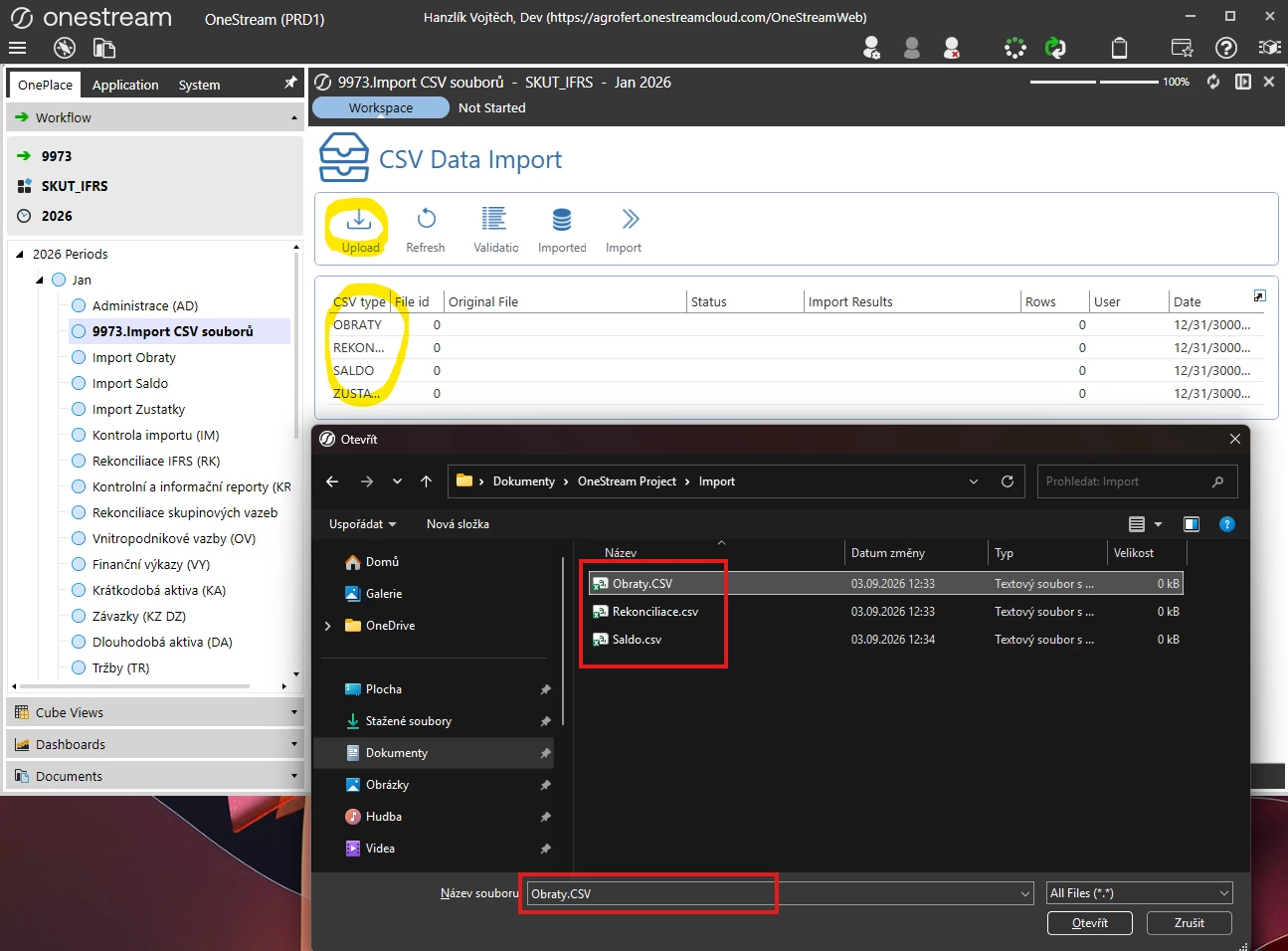
 

Our business thinks this would impact our short closing times severely as users have to do this multiple times after corrections are made and for multiple companies. Rough estimate is about 50 users impacted each closing.
Calling a different Windows API functionality should not be a huge change and this could potentially save us a lot of headaches. 

At the moment we cannot use direct connection to our ERP systems as they are too varied across the companies, so a standardized CSVs are our only option.


3 replies

Advisor
September 3, 2026

Hi ​@Vojtěch Hanzlík 

Have you considered using File Batch Harvest?

Setting Up and Using Batch File Loading

Batch File Name Format Specification

This is one way to automate your file-based approach

Hope this helps

Sam

Member
September 3, 2026

That copying files to the batch harvest folder step is something we probably cannot do. We can’t have users having access to the same folder. 

Also the file name format would need to be setup on each user’s end somehow. I am not sure it is possible in all cases.
 

Sage
September 7, 2026

As ​@sameburn said, this really look like a job for the batch feature. However, if you cannot leverage that for whatever reason, consider a workflow based on zipping - i.e. your users zip all files up in a single archive, and then your custom dashboard can unzip them and process as necessary.

Btw, if this was meant as a feature request, you might want to enter it in IdeaStream instead.