
Newcomer
July 8, 2022

Importing Attributes using Excel Template

  • July 8, 2022
  • 3 replies
  • 0 views

Hi Team, i am trying to import an attribute in stage using excel template but not able to make this work. Please suggest where i am going wrong. Following is my Excel template where using tags to import:
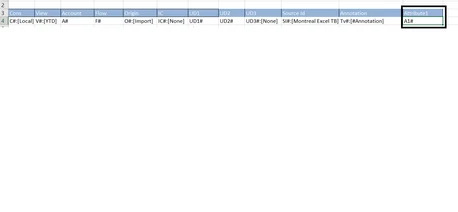
Excel template tag for Attribute1Excel template tag for Attribute1

Following i defined in my data source:
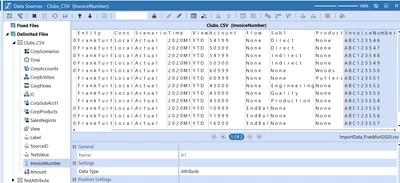
2.png

But, when i am importing, the InvoiceNumber column always shows blank:
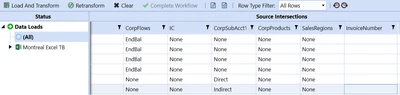
3.png


Thank you,

3 replies

Veteran
July 8, 2022

Hi! 

Double checking the set up, did you set up the attribute on the cube for the right scenario?

NicoleBruno_0-1657283454143.png

Hopefully that's a good starting point but I can look into it further if that's not it. 

-Nicole

OSer22Author
Newcomer
July 11, 2022

Thank you Nicole! i already enabled this 4.png

Veteran
July 12, 2022

Hi! 
I think you should reach out to OS support. I had a similar issue but once the proper scenario was updated in the cube integration and the app was refreshed, the data came through the import screen so I don't have any other suggestions. Good luck!

-Nicole