
Import files from FTP Connection
Hello,
I'am newly at OneStream and now I have a requirement from a client:
- They want to import, automatically, files that will be data source of a Workflow Profile = import;
1. Those files are on FTP (FTP connection), that means that I need to add on the current application server, a connector type = gateway, right? Also, what I need to define on the connection string?
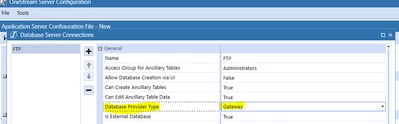
2. Then I need to create a BR for the connector;
3. Since the files are "delimited files", so on the Data Sources menu, I need to create a new Data source - delimited file and map the columns to the correspondent dimensions that exists in OneStream right? Also, on the connector setting option, I need to assign the delimited file to the BR connector that I created previously, right?
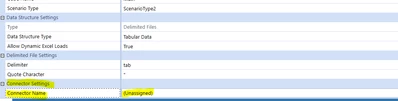
4. On the Workflow Profile, I will assign it to the new delimited file.
Are these the correct steps?
Thank you all.
Ricardo