
Newcomer
August 20, 2024
Solved

Composite validation

  • August 20, 2024
  • 1 reply
  • 0 views

I have composite rules for my accounts involving 3 dimensions, but when validating the load, if there are missing intersections it would not show me the combination of the 3 dimensions but only one. 
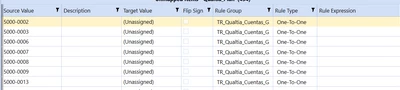
Nirod95_0-1724187402278.png

is there a way to see the intersection missing involving the 3 dimension?


for example for the following first line 
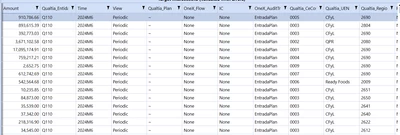
Nirod95_1-1724187537391.png

when i double click it to see the source intersection i find out there are many 
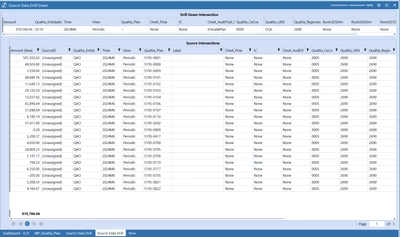
Nirod95_2-1724187596586.png

so my question is if there is a practical way to see all the missing mappings at once?
Best answer by T_Kress

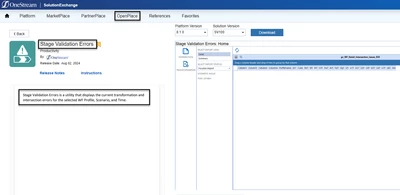
There is a tool in the Solution Exchange OpenPlace called "Stage Validation Errors" that should allow you to see this.  It is here.  Download and load that and give it a try:

T_Kress_0-1724199226941.png


1 reply

T_Kress
OneStream Employee
T_KressOneStream EmployeeAnswer
OneStream Employee
August 21, 2024

There is a tool in the Solution Exchange OpenPlace called "Stage Validation Errors" that should allow you to see this.  It is here.  Download and load that and give it a try:

T_Kress_0-1724199226941.png