


LIM: Example of Register Field Population from a Workspace File 3
DISCLAIMER: It should be noted that the focus of this technical guide is to provide general information, considerations, and guidelines for an identified topic. It is NOT to be interpreted as the ONLY approach nor a guarantee that there will not be any issues encountered by using this approach as a customer’s requirements or application configuration may render this guidance as not applicable. |
VERSION: PV900 SV200
PLATFORM: 9.2.0
USE CASE: your customer wants a standard repository to store supplementary information to be used to populate certain Register Fields. In this example, a list of job codes and its descriptions is handled as a Spreadsheet component within an OneStream dashboard. Every time a user selects a job code or inputs a job code in the Register, the expectation is that the Job Code Description register field is populated with the description that is from this workbook.
PURPOSE: to provide you with an example that you can leverage as part of your build, whether you decide to incorporate this to existing input options (Register, Spreadsheet, Import File, Connector).
NOTE(S): my example assumes that this file is a .csv, not .xlsx and it is placed in the target Workspace as part of the Files section.
ASSUMPTIONS:
- The relevant Register Fields have already been created. In my example, I have JobCode and JobCodeDescription register fields.
- The .csv is uploaded to the workspace as a Workspace file.
- A simple dashboard that allows the Administrator or select users to update the file.
I will be splitting this approach into three articles - 1 which will cover WsComponentService, 2 which will cover WorkforcePlanningImportRegisterConnector, and 3 which will cover WsDynamicGridService and WsTableViewService.
WsDynamicGridService: Register
Below is an example of how I arranged my logic within my BeforeEvent.

The below is an example of the logic associated with populateJobCodeDesc1.
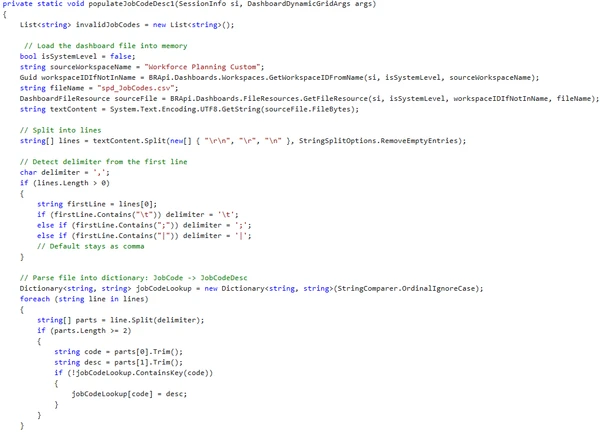
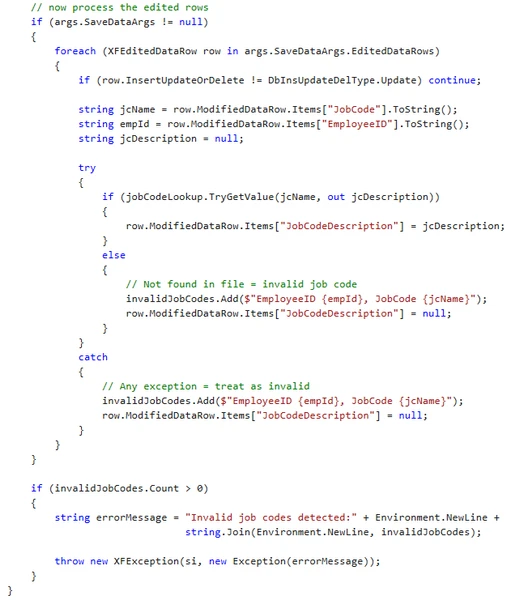
The screenshots as code below.
private static void populateJobCodeDesc1(SessionInfo si, DashboardDynamicGridArgs args)
		{
		    List<string> invalidJobCodes = new List<string>();

			 // Load the dashboard file into memory
			bool isSystemLevel = false;
			string sourceWorkspaceName = "Workforce Planning Custom";
			Guid workspaceIDIfNotInName = BRApi.Dashboards.Workspaces.GetWorkspaceIDFromName(si, isSystemLevel, sourceWorkspaceName);
			string fileName = "spd_JobCodes.csv";
			DashboardFileResource sourceFile = BRApi.Dashboards.FileResources.GetFileResource(si, isSystemLevel, workspaceIDIfNotInName, fileName);
			string textContent = System.Text.Encoding.UTF8.GetString(sourceFile.FileBytes);

			// Split into lines
			string[] lines = textContent.Split(new[] { "\r\n", "\r", "\n" }, StringSplitOptions.RemoveEmptyEntries);

			// Detect delimiter from the first line
		    char delimiter = ',';
		    if (lines.Length > 0)
		    {
		        string firstLine = lines[0];
		        if (firstLine.Contains("\t")) delimiter = '\t';
		        else if (firstLine.Contains(";")) delimiter = ';';
		        else if (firstLine.Contains("|")) delimiter = '|';
		        // Default stays as comma
		    }

			// Parse file into dictionary: JobCode -> JobCodeDesc
			Dictionary<string, string=""> jobCodeLookup = new Dictionary<string, string="">(StringComparer.OrdinalIgnoreCase);
			foreach (string line in lines)
		    {
		        string[] parts = line.Split(delimiter);
		        if (parts.Length >= 2)
		        {
		            string code = parts[0].Trim();
		            string desc = parts[1].Trim();
		            if (!jobCodeLookup.ContainsKey(code))
		            {
		                jobCodeLookup[code] = desc;
		            }
		        }
		    }

			// now process the edited rows
		    if (args.SaveDataArgs != null)
		    {
		        foreach (XFEditedDataRow row in args.SaveDataArgs.EditedDataRows)
		        {
		            if (row.InsertUpdateOrDelete != DbInsUpdateDelType.Update) continue;

		            string jcName = row.ModifiedDataRow.Items["JobCode"].ToString();
		            string empId = row.ModifiedDataRow.Items["EmployeeID"].ToString();
					string jcDescription = null;

		            try
		            {
						if (jobCodeLookup.TryGetValue(jcName, out jcDescription))
		                {
		                    row.ModifiedDataRow.Items["JobCodeDescription"] = jcDescription;
		                }
		                else
		                {
		                    // Not found in file = invalid job code
		                    invalidJobCodes.Add($"EmployeeID {empId}, JobCode {jcName}");
		                    row.ModifiedDataRow.Items["JobCodeDescription"] = null;
		                }
		            }
		            catch
		            {
		                // Any exception = treat as invalid
		                invalidJobCodes.Add($"EmployeeID {empId}, JobCode {jcName}");
		                row.ModifiedDataRow.Items["JobCodeDescription"] = null;
		            }
		        }
		    }

		    if (invalidJobCodes.Count > 0)
		    {
		        string errorMessage = "Invalid job codes detected:" + Environment.NewLine +
		                              string.Join(Environment.NewLine, invalidJobCodes);

		        throw new XFException(si, new Exception(errorMessage));
		    }
		}</string,></string,></string></string>
WsTableViewService: Spreadsheet
Below is an example of how I arranged my logic within my BeforeEvent.

The below is an example of the populateJobCodeDesc1 logic. Because I am pulling from a SQL and then processing each table view-related row one by one, it is more performant to have the XFC table cached once in memory. It is also important to only process rows with the valid information so I have a section to identify which rows to skip.
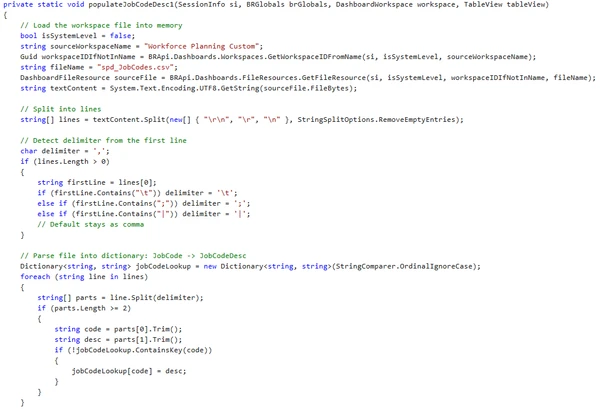
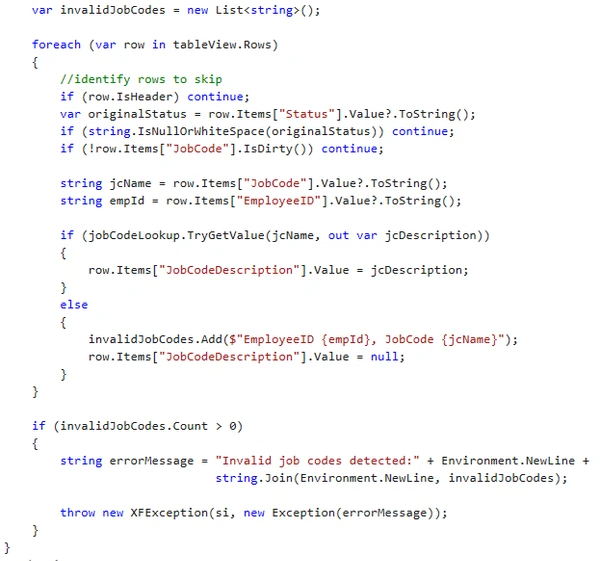
The screenshots as code below.
private static void populateJobCodeDesc1(SessionInfo si, BRGlobals brGlobals, DashboardWorkspace workspace, TableView tableView)
		{
			// Load the workspace file into memory
			bool isSystemLevel = false;
			string sourceWorkspaceName = "Workforce Planning Custom";
			Guid workspaceIDIfNotInName = BRApi.Dashboards.Workspaces.GetWorkspaceIDFromName(si, isSystemLevel, sourceWorkspaceName);
			string fileName = "spd_JobCodes.csv";
			DashboardFileResource sourceFile = BRApi.Dashboards.FileResources.GetFileResource(si, isSystemLevel, workspaceIDIfNotInName, fileName);
			string textContent = System.Text.Encoding.UTF8.GetString(sourceFile.FileBytes);

			// Split into lines
			string[] lines = textContent.Split(new[] { "\r\n", "\r", "\n" }, StringSplitOptions.RemoveEmptyEntries);

			// Detect delimiter from the first line
		    char delimiter = ',';
		    if (lines.Length > 0)
		    {
		        string firstLine = lines[0];
		        if (firstLine.Contains("\t")) delimiter = '\t';
		        else if (firstLine.Contains(";")) delimiter = ';';
		        else if (firstLine.Contains("|")) delimiter = '|';
		        // Default stays as comma
		    }

			// Parse file into dictionary: JobCode -> JobCodeDesc
			Dictionary<string, string=""> jobCodeLookup = new Dictionary<string, string="">(StringComparer.OrdinalIgnoreCase);
			foreach (string line in lines)
		    {
		        string[] parts = line.Split(delimiter);
		        if (parts.Length >= 2)
		        {
		            string code = parts[0].Trim();
		            string desc = parts[1].Trim();
		            if (!jobCodeLookup.ContainsKey(code))
		            {
		                jobCodeLookup[code] = desc;
		            }
		        }
		    }

			var invalidJobCodes = new List<string>();

			foreach (var row in tableView.Rows)
		    {
				//identify rows to skip
		        if (row.IsHeader) continue;
		        var originalStatus = row.Items["Status"].Value?.ToString();
		        if (string.IsNullOrWhiteSpace(originalStatus)) continue;
		        if (!row.Items["JobCode"].IsDirty()) continue;

		        string jcName = row.Items["JobCode"].Value?.ToString();
		        string empId = row.Items["EmployeeID"].Value?.ToString();

		        if (jobCodeLookup.TryGetValue(jcName, out var jcDescription))
		        {
		            row.Items["JobCodeDescription"].Value = jcDescription;
		        }
		        else
		        {
		            invalidJobCodes.Add($"EmployeeID {empId}, JobCode {jcName}");
		            row.Items["JobCodeDescription"].Value = null;
		        }
		    }

		    if (invalidJobCodes.Count > 0)
		    {
		        string errorMessage = "Invalid job codes detected:" + Environment.NewLine +
		                              string.Join(Environment.NewLine, invalidJobCodes);

		        throw new XFException(si, new Exception(errorMessage));
		    }
		}</string></string,></string,>