


LIM: Example of Register Field Population from a File Explorer File 2
DISCLAIMER: It should be noted that the focus of this technical guide is to provide general information, considerations, and guidelines for an identified topic. It is NOT to be interpreted as the ONLY approach nor a guarantee that there will not be any issues encountered by using this approach as a customer’s requirements or application configuration may render this guidance as not applicable. In addition, statements that “we believe” and similar statements reflect our beliefs and opinions on the relevant subject. These statements are based upon information available to us as of the date of this article, and while we believe such information forms a reasonable basis for such statements, such information may be limited or incomplete, and our statements should not be read to indicate that we have conducted an exhaustive inquiry into, or review of, all potentially available relevant information. OneStream does not warrant as to the accuracy of this guidance, which is provided on an as-is basis. Any forward-looking statements contained herein are based on information available at the time those statements are made and/or good faith beliefs and assumptions as of that time with respect to future events and are subject to risks and uncertainties that could cause actual performance or results to differ materially from those expressed in or suggested by the forward-looking statements. Considering these risks and uncertainties, the forward-looking events and circumstances discussed in this guide may not occur and actual results could differ materially from those anticipated or implied in the forward-looking statements. |
VERSION: PV900 SV200
PLATFORM: 9.2.0
USE CASE: your customer wants a standard repository to store supplementary information to be used to populate certain Register Fields. In this example, a list of job codes and its descriptions is handled as a Spreadsheet component within an OneStream dashboard. Every time a user selects a job code or inputs a job code in the Register, the expectation is that the Job Code Description register field is populated with the description that is from this .csv.
PURPOSE: to provide you with an example that you can leverage as part of your build, whether you decide to incorporate this to existing input options (Register, Spreadsheet, Import File, Connector).
NOTE(S): my example assumes that this file is a .csv and placed in a dedicated folder in File Explorer.
ASSUMPTIONS:
- The relevant Register Fields have already been created. In my example, I have JobCode and JobCodeDescription register fields.
- The .csv is uploaded to a dedicated folder in File Explorer
- A simple dashboard that allows the Administrator or select users to update the file. File Source Type for the Spreadsheet component is set up to reference Application Database File.

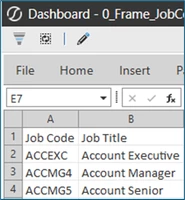
I will be splitting this approach into two articles - 1 which will cover WsComponentService, 2 which will cover WorkforcePlanningImportRegisterConnector, WsDynamicGridService and WsTableViewService.
B) WorkforcePlanningImportRegisterConnector#*: ImportRegisterData (to handle connector)
*Business rule name may be different depending on the LIM selection and number of workspaces created.
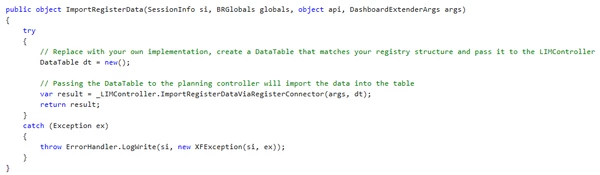
Before: this is before any customizations. This is what your ImportRegisterData should start out as.
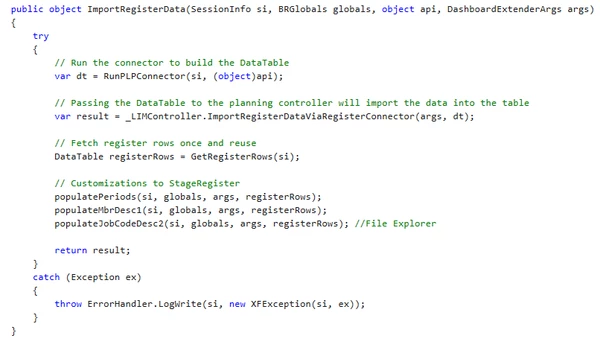
After: example of how it could be re-arranged to handle customizations that rely on fetching register rows.
Assuming that there are multiple customizations, the below is an example to handle populating the job code description for WorkforcePlanningImportRegisterConnector#*:
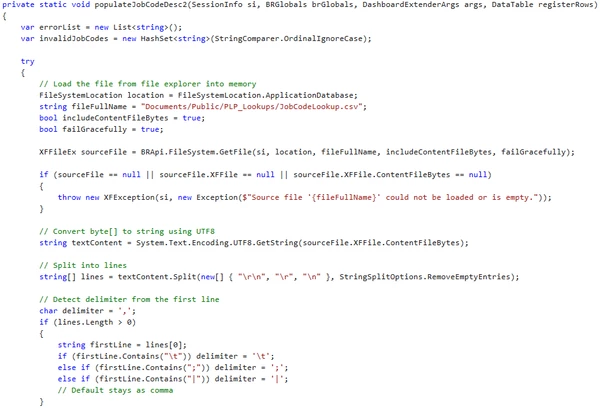
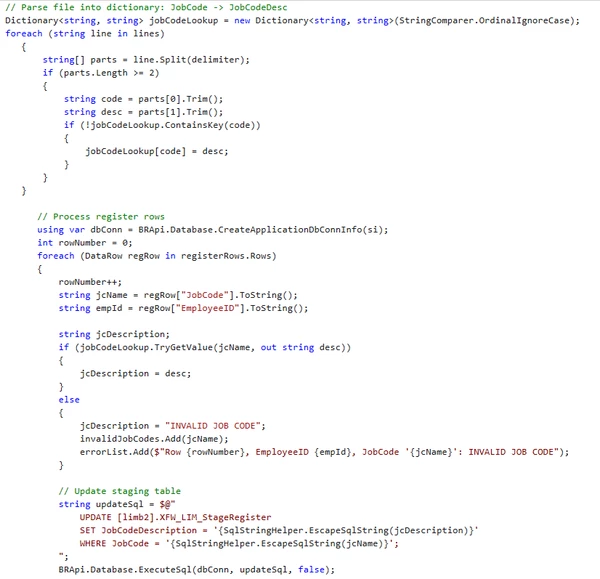
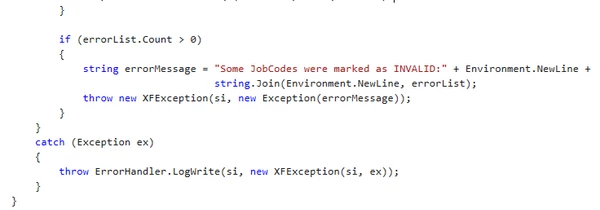
NOTE: I am putting in a sample code equivalent below which pertains to SV200 as the table names have changed from PLN to LIM.
private static void populateJobCodeDesc2(SessionInfo si, BRGlobals brGlobals, DashboardExtenderArgs args, DataTable registerRows)
  {
      var errorList = new List<string>();
      var invalidJobCodes = new HashSet<string>(StringComparer.OrdinalIgnoreCase);

      try
      {
    // Load the file from file explorer into memory
    FileSystemLocation location = FileSystemLocation.ApplicationDatabase;
    string fileFullName = "Documents/Public/PLP_Lookups/JobCodeLookup.csv";
    bool includeContentFileBytes = true;
    bool failGracefully = true;

    XFFileEx sourceFile = BRApi.FileSystem.GetFile(si, location, fileFullName, includeContentFileBytes, failGracefully);

    if (sourceFile == null || sourceFile.XFFile == null || sourceFile.XFFile.ContentFileBytes == null)
    {
        throw new XFException(si, new Exception($"Source file '{fileFullName}' could not be loaded or is empty."));
    }

    // Convert byte[] to string using UTF8
    string textContent = System.Text.Encoding.UTF8.GetString(sourceFile.XFFile.ContentFileBytes);

    // Split into lines
    string[] lines = textContent.Split(new[] { "\r\n", "\r", "\n" }, StringSplitOptions.RemoveEmptyEntries);

    // Detect delimiter from the first line
       char delimiter = ',';
       if (lines.Length > 0)
       {
           string firstLine = lines[0];
           if (firstLine.Contains("\t")) delimiter = '\t';
           else if (firstLine.Contains(";")) delimiter = ';';
           else if (firstLine.Contains("|")) delimiter = '|';
           // Default stays as comma
       }

    // Parse file into dictionary: JobCode -> JobCodeDesc
    Dictionary<string, string=""> jobCodeLookup = new Dictionary<string, string="">(StringComparer.OrdinalIgnoreCase);
    foreach (string line in lines)
       {
           string[] parts = line.Split(delimiter);
           if (parts.Length >= 2)
           {
               string code = parts[0].Trim();
               string desc = parts[1].Trim();
               if (!jobCodeLookup.ContainsKey(code))
               {
                   jobCodeLookup[code] = desc;
               }
           }
       }

          // Process register rows
          using var dbConn = BRApi.Database.CreateApplicationDbConnInfo(si);
          int rowNumber = 0;
          foreach (DataRow regRow in registerRows.Rows)
          {
              rowNumber++;
              string jcName = regRow["JobCode"].ToString();
              string empId = regRow["EmployeeID"].ToString();

              string jcDescription;
              if (jobCodeLookup.TryGetValue(jcName, out string desc))
              {
                  jcDescription = desc;
              }
              else
              {
                  jcDescription = "INVALID JOB CODE";
                  invalidJobCodes.Add(jcName);
                  errorList.Add($"Row {rowNumber}, EmployeeID {empId}, JobCode '{jcName}': INVALID JOB CODE");
              }

              // Update staging table
              string updateSql = $@"
                  UPDATE [limb2].XFW_LIM_StageRegister
                  SET JobCodeDescription = '{SqlStringHelper.EscapeSqlString(jcDescription)}'
                  WHERE JobCode = '{SqlStringHelper.EscapeSqlString(jcName)}';
              ";
              BRApi.Database.ExecuteSql(dbConn, updateSql, false);
          }

          // Report invalids if any
          if (errorList.Count > 0)
          {
              string errorMessage = "Some JobCodes were marked as INVALID:" + Environment.NewLine +
                                    string.Join(Environment.NewLine, errorList);

              throw new XFException(si, new Exception(errorMessage));
          }
      }
      catch (Exception ex)
      {
          throw ErrorHandler.LogWrite(si, new XFException(si, ex));
      }
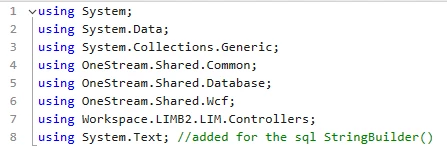
}</string,></string,></string></string>NOTE: if you plan to use StringBuilder() instead of declaring the variable as a string in your WorkforcePlanningImportRegisterConnector#* rule, you will need to import System.Text into the business rule. StringBuilder() is a method group so it will also have to be referenced as sql.ToString() as part of the BRApi.Database.ExecuteSql line. Example of what I mean by “import” below.
C) WsDynamicGridService: Register
Below is an example of how I arranged my logic within my BeforeEvent.

The below is an example of the logic associated with populateJobCodeDesc2.
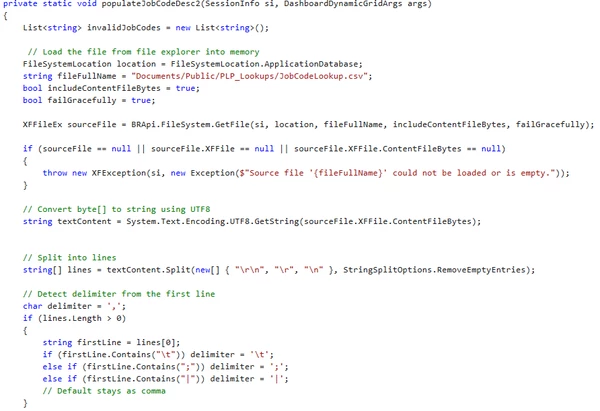
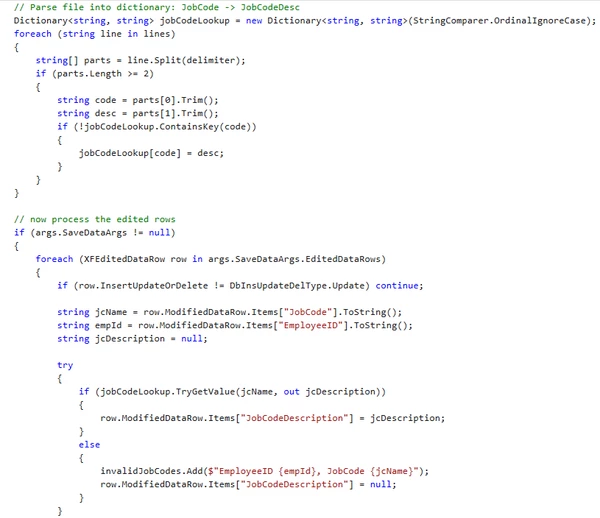
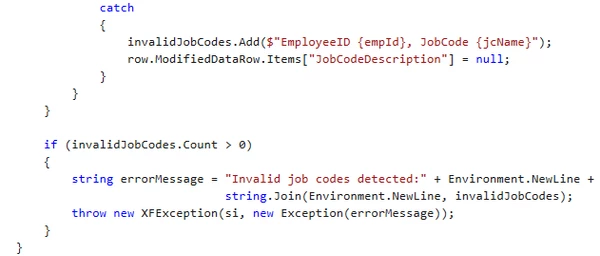
NOTE: I am putting in a sample code equivalent below for WsDynamicGridService.
private static void populateJobCodeDesc2(SessionInfo si, DashboardDynamicGridArgs args)
		{
		    List<string> invalidJobCodes = new List<string>();

			 // Load the file from file explorer into memory
			FileSystemLocation location = FileSystemLocation.ApplicationDatabase;
			string fileFullName = "Documents/Public/PLP_Lookups/JobCodeLookup.csv";
			bool includeContentFileBytes = true;
			bool failGracefully = true;

			XFFileEx sourceFile = BRApi.FileSystem.GetFile(si, location, fileFullName, includeContentFileBytes, failGracefully);

			if (sourceFile == null || sourceFile.XFFile == null || sourceFile.XFFile.ContentFileBytes == null)
			{
			    throw new XFException(si, new Exception($"Source file '{fileFullName}' could not be loaded or is empty."));
			}

			// Convert byte[] to string using UTF8
			string textContent = System.Text.Encoding.UTF8.GetString(sourceFile.XFFile.ContentFileBytes);


			// Split into lines
			string[] lines = textContent.Split(new[] { "\r\n", "\r", "\n" }, StringSplitOptions.RemoveEmptyEntries);

			// Detect delimiter from the first line
		    char delimiter = ',';
		    if (lines.Length > 0)
		    {
		        string firstLine = lines[0];
		        if (firstLine.Contains("\t")) delimiter = '\t';
		        else if (firstLine.Contains(";")) delimiter = ';';
		        else if (firstLine.Contains("|")) delimiter = '|';
		        // Default stays as comma
		    }

			// Parse file into dictionary: JobCode -> JobCodeDesc
			Dictionary<string, string=""> jobCodeLookup = new Dictionary<string, string="">(StringComparer.OrdinalIgnoreCase);
			foreach (string line in lines)
		    {
		        string[] parts = line.Split(delimiter);
		        if (parts.Length >= 2)
		        {
		            string code = parts[0].Trim();
		            string desc = parts[1].Trim();
		            if (!jobCodeLookup.ContainsKey(code))
		            {
		                jobCodeLookup[code] = desc;
		            }
		        }
		    }

			// now process the edited rows
		    if (args.SaveDataArgs != null)
		    {
		        foreach (XFEditedDataRow row in args.SaveDataArgs.EditedDataRows)
		        {
		            if (row.InsertUpdateOrDelete != DbInsUpdateDelType.Update) continue;

		            string jcName = row.ModifiedDataRow.Items["JobCode"].ToString();
		            string empId = row.ModifiedDataRow.Items["EmployeeID"].ToString();
					string jcDescription = null;

		            try
		            {
						if (jobCodeLookup.TryGetValue(jcName, out jcDescription))
		                {
		                    row.ModifiedDataRow.Items["JobCodeDescription"] = jcDescription;
		                }
		                else
		                {
		                    // Not found in file = invalid job code
		                    invalidJobCodes.Add($"EmployeeID {empId}, JobCode {jcName}");
		                    row.ModifiedDataRow.Items["JobCodeDescription"] = null;
		                }
		            }
		            catch
		            {
		                // Any exception = treat as invalid
		                invalidJobCodes.Add($"EmployeeID {empId}, JobCode {jcName}");
		                row.ModifiedDataRow.Items["JobCodeDescription"] = null;
		            }
		        }
		    }

		    if (invalidJobCodes.Count > 0)
		    {
		        string errorMessage = "Invalid job codes detected:" + Environment.NewLine +
		                              string.Join(Environment.NewLine, invalidJobCodes);

		        throw new XFException(si, new Exception(errorMessage));
		    }
		}</string,></string,></string></string>
D) WsTableViewService: Spreadsheet
Below is an example of how I arranged my logic within my BeforeEvent.

The below is an example of the populateJobCodeDesc2 logic. It is important to only process rows with the valid information so I have a section to identify which rows to skip.
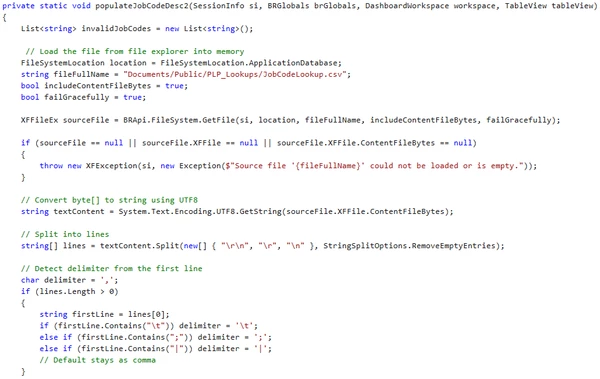
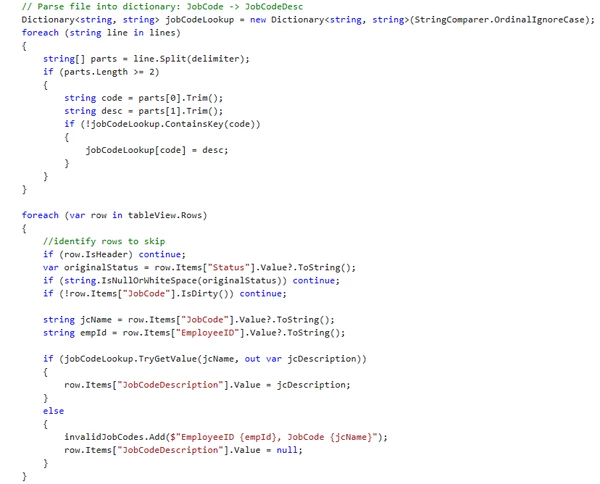
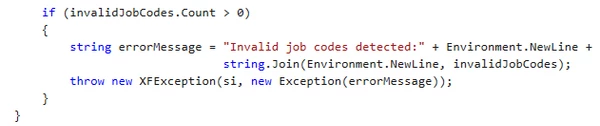
NOTE: I am putting in a sample code equivalent below for WsTableViewService.
private static void populateJobCodeDesc2(SessionInfo si, BRGlobals brGlobals, DashboardWorkspace workspace, TableView tableView)
		{
			List<string> invalidJobCodes = new List<string>();

			 // Load the file from file explorer into memory
			FileSystemLocation location = FileSystemLocation.ApplicationDatabase;
			string fileFullName = "Documents/Public/PLP_Lookups/JobCodeLookup.csv";
			bool includeContentFileBytes = true;
			bool failGracefully = true;

			XFFileEx sourceFile = BRApi.FileSystem.GetFile(si, location, fileFullName, includeContentFileBytes, failGracefully);

			if (sourceFile == null || sourceFile.XFFile == null || sourceFile.XFFile.ContentFileBytes == null)
			{
			    throw new XFException(si, new Exception($"Source file '{fileFullName}' could not be loaded or is empty."));
			}

			// Convert byte[] to string using UTF8
			string textContent = System.Text.Encoding.UTF8.GetString(sourceFile.XFFile.ContentFileBytes);

			// Split into lines
			string[] lines = textContent.Split(new[] { "\r\n", "\r", "\n" }, StringSplitOptions.RemoveEmptyEntries);

			// Detect delimiter from the first line
		    char delimiter = ',';
		    if (lines.Length > 0)
		    {
		        string firstLine = lines[0];
		        if (firstLine.Contains("\t")) delimiter = '\t';
		        else if (firstLine.Contains(";")) delimiter = ';';
		        else if (firstLine.Contains("|")) delimiter = '|';
		        // Default stays as comma
		    }

			// Parse file into dictionary: JobCode -> JobCodeDesc
			Dictionary<string, string=""> jobCodeLookup = new Dictionary<string, string="">(StringComparer.OrdinalIgnoreCase);
			foreach (string line in lines)
		    {
		        string[] parts = line.Split(delimiter);
		        if (parts.Length >= 2)
		        {
		            string code = parts[0].Trim();
		            string desc = parts[1].Trim();
		            if (!jobCodeLookup.ContainsKey(code))
		            {
		                jobCodeLookup[code] = desc;
		            }
		        }
		    }

			foreach (var row in tableView.Rows)
		    {
				//identify rows to skip
		        if (row.IsHeader) continue;
		        var originalStatus = row.Items["Status"].Value?.ToString();
		        if (string.IsNullOrWhiteSpace(originalStatus)) continue;
		        if (!row.Items["JobCode"].IsDirty()) continue;

		        string jcName = row.Items["JobCode"].Value?.ToString();
		        string empId = row.Items["EmployeeID"].Value?.ToString();

		        if (jobCodeLookup.TryGetValue(jcName, out var jcDescription))
		        {
		            row.Items["JobCodeDescription"].Value = jcDescription;
		        }
		        else
		        {
		            invalidJobCodes.Add($"EmployeeID {empId}, JobCode {jcName}");
		            row.Items["JobCodeDescription"].Value = null;
		        }
		    }

		    if (invalidJobCodes.Count > 0)
		    {
		        string errorMessage = "Invalid job codes detected:" + Environment.NewLine +
		                              string.Join(Environment.NewLine, invalidJobCodes);

		        throw new XFException(si, new Exception(errorMessage));
		    }
		}</string,></string,></string></string>