


Employee - Guide
Apr 25, 2023 8:13 AM UTC

Customize the calculation pop-up ?

Hello,

When I execute a Data management sequence or a custom finance function, I have this pop-up that will be shown to the user :
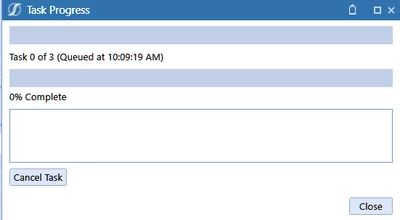
Sergey_0-1682410263528.png

Are there any ways to customize what will be shown to the user in this pop-up ? For instance, I want to  customize the message that will be shown in the blank text field below "0% Complete" or the message next to the task when it is running :
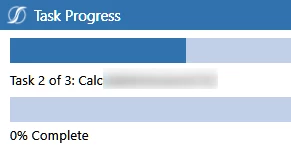
Sergey_1-1682410383911.png

Many thanks for your feedback !

Regards,

3 replies

Contributor
Apr 25, 2023 11:20 AM UTC

Well, this is a functionality of the application itself I don't think you can edit this window but what you can do is once the calculation is done create a string and throw it as an exception so it will display that message in the similar way, but it will a customized message for the user.

Member
Apr 25, 2023 12:22 PM UTC

If you are running it directly from the data management page, I don't think it is possible unless there is an event handler hook that you can use. If you are initiating it from a dashboard, then there is a way to update the description and the percentages of the job. However, I've found that even though it works, the screen update can be sometimes a bit tricky. 

SergeyEmployee - GuideAuthor
Employee - Guide
Apr 26, 2023 5:26 AM UTC

Hello,

Thanks for your feedback. Any possibilities to share the code/snippets or the library used for that ?


Many thanks,