Contributor
April 7, 2022
Solved

UD8 Calculate Variance Between Two Scenarios in Cube View

  • April 7, 2022
  • 4 replies
  • 0 views

We are trying to calculate the variance between two Scenarios using an UD8 member. In Essbase, the calculation below works just fine, but in OneS it returns an error. Any improvement to the formula is appreciated.
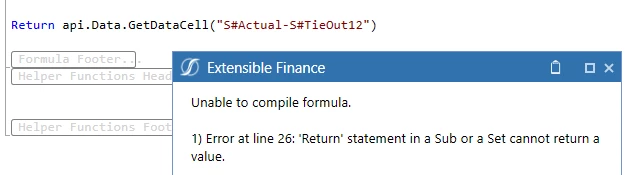
 

error.png

Best answer by Oscar

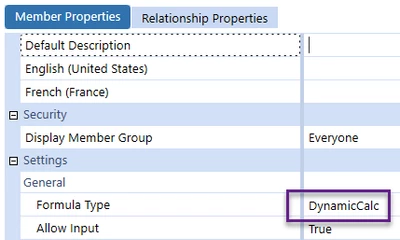
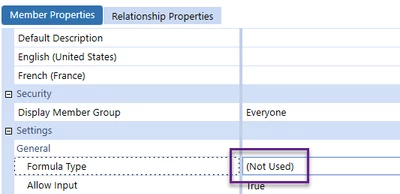
Thank you all for your contributions in trying to resolve this issue ... I got the U8 member to work as expected but I am perplexed as to why the system is behaving in this manner. Basically, all I did was to switch the Formula Type to (Not Used) .. Hit save, then switch it back to DynamicCal .. Hit save

Oscar_0-1649694710266.png

Oscar_1-1649694751654.png

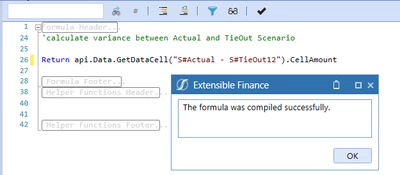
I then went back to my formula and it compiled successfully ... 

Oscar_2-1649694849983.png


It is very weird that I have to change the attribute to get the system to recognize that the member is a DynamicCalc

4 replies

Veteran
April 7, 2022

Hello! 

Does it need .CellAmount after the formula? 

Return api.Data.GetDataCell("S#Actual - S#TieOut12").CellAmount

I'm not the best at vb.net but this is what all my UD8 calcs have at the end so worth a shot. 

OscarAuthor
Contributor
April 11, 2022

Hi Nicole!

Thanks for the input, unfortunately, it fails to compile and returns the same error.

Newcomer
April 8, 2022

You need to use the UD8 for both scenarios. Is there anything else in the formula?

Newcomer
April 11, 2022

Oscar, they are 2 types of processes in BRs (among others :)). One is a function and another is a sub. Function returns a value, hence they must end with Return, even it's a Return Nothing.

Sub is a subroutine, that runs in the background and not supposed to return anything. Hence the error on "return" line. So in this particular instance you should either run the variance in cube view or create bogus member to write the variance data into, such as api.data.calculate("A#Bogus = A#1-A#B")

OscarAuthorAnswer
Contributor
April 11, 2022

Thank you all for your contributions in trying to resolve this issue ... I got the U8 member to work as expected but I am perplexed as to why the system is behaving in this manner. Basically, all I did was to switch the Formula Type to (Not Used) .. Hit save, then switch it back to DynamicCal .. Hit save

Oscar_0-1649694710266.png

Oscar_1-1649694751654.png

I then went back to my formula and it compiled successfully ... 

Oscar_2-1649694849983.png


It is very weird that I have to change the attribute to get the system to recognize that the member is a DynamicCalc