Newcomer
January 14, 2022

Selecting your own member-filter in CV

  • January 14, 2022
  • 1 reply
  • 0 views

My dept wants the ability to search data across region, district, and branches. I was wondering what would be the best way to build that functionality.

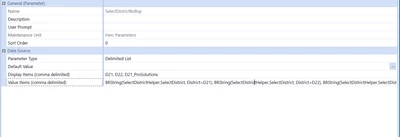
Currently, I have build a Select Region Parameter, which has a BR rule running these cases (member filters). And it only shows region level data. 
 

Mustafa_A_0-1642180316460.png

Mustafa_A_1-1642180614165.png

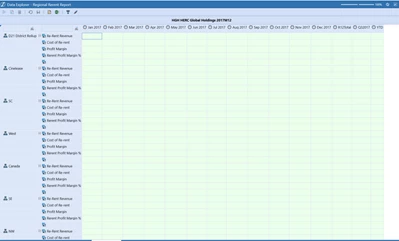
This is how our report looks like. (Data is omitted) 
Mustafa_A_0-1642181924167.png


However, I'm looking add an option to select districts and branches, Maybe the QV can have a button to add additional rows, by clicking "+" and selecting those specific branches from a dialog box. Or maybe a dialog box, which prompts the user to build their own entity member filter. Hope that gives an idea of where I'm heading.

Any suggestions or ideas will be appreciated. Thank you!


1 reply

Newcomer
January 14, 2022

Just an update:


I created a member dialog parameter, that let's you select a entity one at time. But I would like if if I could add more filters in, such as selecting one region, a specific parent branch (rollup) underneath it.  

As shown below, it just throws everything under North Central Central (because I have use Tree Inclusive expansion). But wondering if there is a clean way to do this? 


Mustafa_A_1-1642190074471.png


Mustafa_A_0-1642190018127.png


Newcomer
January 17, 2022

You could use a dashboard with either a multi-select list box or multi-select Combobox to let the users select multiple entities.

Newcomer
January 18, 2022

Hi ckattookaran 


I tried setting up a combo box. I'm a bit lost on this. Would you please share any examples that might be out there? 

Mustafa_A_0-1642524839697.png