Member
July 8, 2022

RowExpansionMode - Report Viewer

  • July 8, 2022
  • 1 reply
  • 0 views

Hello, 

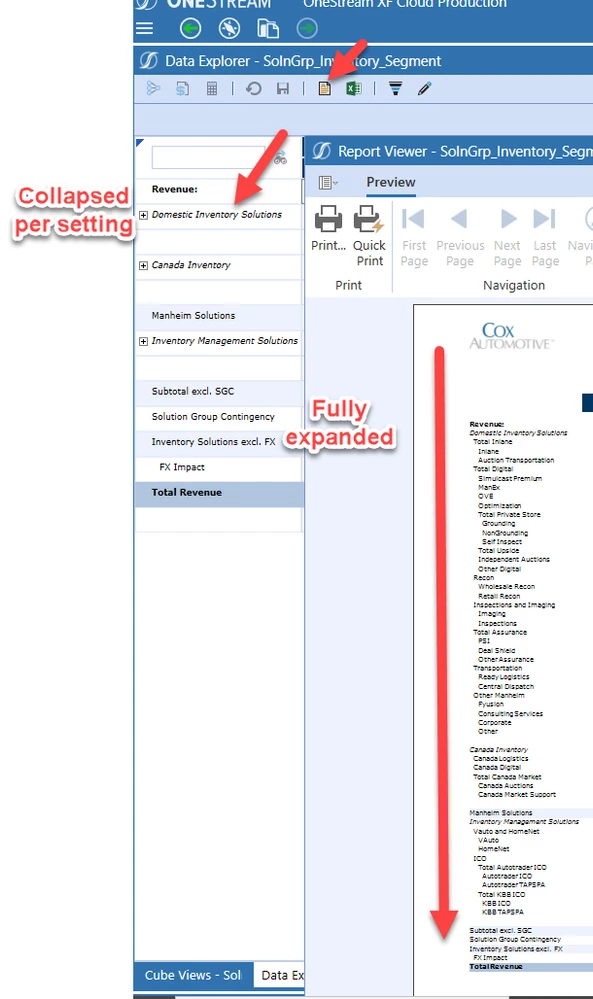
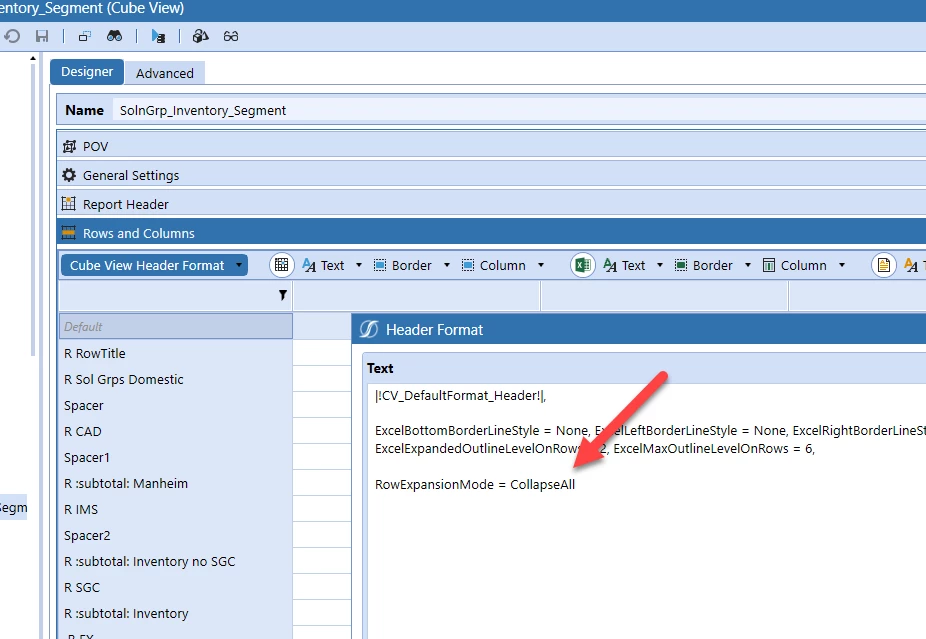
Is there a way to apply the RowExpansionMode (e.g. - Collapse All) setting when a user select's "Show report"?

The Report Viewer appears to default and expands all.  Ideally, I would like to set it to open at a predefined level, which I know is capable in excel.image.pngimage.png
Thanks,

Sean

1 reply

Newcomer
July 11, 2022

Hi Sean,

I am not sure I fully understand your question, can try using a parameter that prompts the user when running the report.


Maja_0-1657509932845.png


You can also create  delimited list parameters that drive the suppress format. You would have two rows in the report, one that expands to more detail and one that doesn't.

Maja_1-1657510354639.png

I hope this helps.

Maja

Member
July 11, 2022

Thanks Maja.  When I run the report with Row Expansion Mode set to Collapse all, it generates in the data explorer as expected.  However, when I try and view the report as a PDF via the report viewer, it ignores the collapse all and generates the entire tree (expanded).  I suppose your later parameter suggestion would alleviate that by hiding the row, but didn't know if there was a way to specify the row expansion mode in the PDF/Report Setting.

Newcomer
July 11, 2022

Hello Sean,

When you think about it the reason why it expands in PDF is because you don't have an option to expand on the screen like you can in excel and DER. So the functionality makes sense.