Newcomer
March 3, 2022
Solved

Report Book PDF Column Alignment

  • March 3, 2022
  • 1 reply
  • 0 views

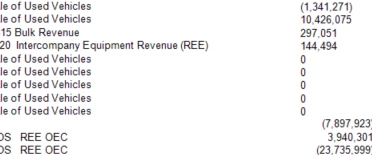
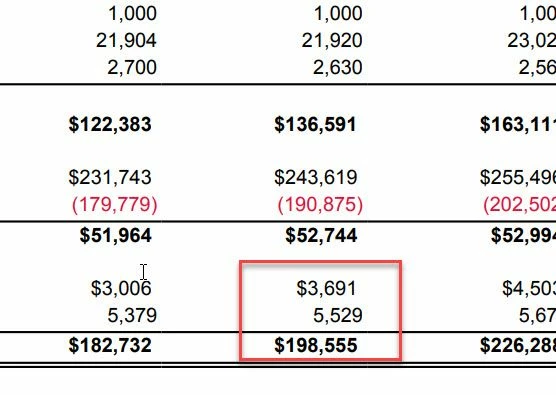
Wondering if anyone has encountered the issue? It's a simple PDF report book with straight forward column set, but there are slight misalignments between numbers. Ideally, looking for right side justification. Thank you2022-03-03_15-43-03.jpg
Best answer by Avatar-Roku

Hi, royceBPSC 

I've never experience this issue. But some possible solution -- 

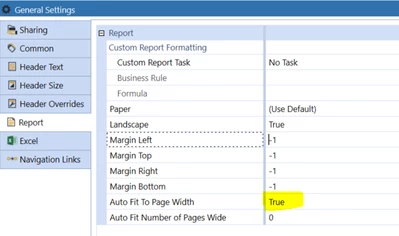
Solution 1: Try to set your Auto Fit Page Width to TRUE. Set your margins to -1. Maybe that works.

Mustafa_A_0-1646341918926.png


Solution 2: Navigate to Advanced/Rows/Cell Format/Format/Reporting

Mustafa_A_1-1646343439653.png

and set your "Report Text alignment" to Middle Right.

For example I set mine to "Middle Left" and it justified data to left

Mustafa_A_2-1646343684466.png


1 reply

Newcomer
March 3, 2022

Hi, royceBPSC 

I've never experience this issue. But some possible solution -- 

Solution 1: Try to set your Auto Fit Page Width to TRUE. Set your margins to -1. Maybe that works.

Mustafa_A_0-1646341918926.png


Solution 2: Navigate to Advanced/Rows/Cell Format/Format/Reporting

Mustafa_A_1-1646343439653.png

and set your "Report Text alignment" to Middle Right.

For example I set mine to "Middle Left" and it justified data to left

Mustafa_A_2-1646343684466.png


royceBPSCAuthor
Newcomer
March 4, 2022

This helped me where to look, the issue was ultimately in NumberFormat and extra space in there. Thank you. 

Newcomer
March 5, 2022

Sweet!