
Question
Quickview Template Formatting Error
I have created a quick view template file, but each time I launch it, the font gets changed to a light gray. This obviously makes it difficult to see and I need to reformat it afterwards. Here is a sample:

My QV has "preserve excel formatting" enabled, so I am uncertain what is causing a formatting override. I have tried different primary styles, but it does not stop the format from overriding after closing and reloading the spreadsheet. Here are my options:
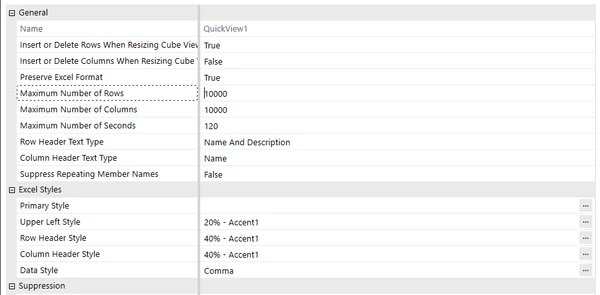
Has anyone else experienced the same issue or have any insight into how I may fix it?