Sep 11, 2024 4:50 PM UTC
Solved

quickview keep only clearing causing all rows to disappear


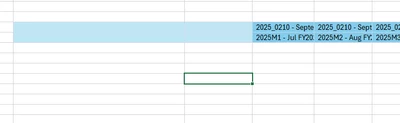
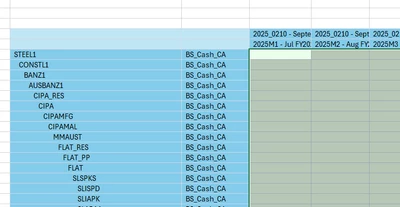
When I do a keep only on this quickview below, it causes all rows to disappear.  only way to get around it is to choose the entity I want in the parameter/member filter builder.   Why would keep only cause all rows to disappear?
halbrooks100_1-1726073287937.png


halbrooks100_0-1726073215720.png


Sep 19, 2024 1:47 PM UTC

Opened a ticket with OneStream, 

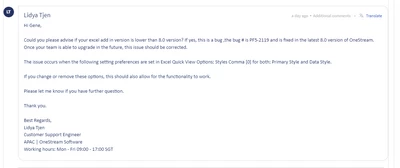
The issue is a bug with 7.4.4 excel

If you have comma [0] in the primary style it will cause this behavior.  Once this was moved to data style, the issue was resolved!!!!!!!!!!!


halbrooks100_0-1726753444143.png


4 replies

Member
Sep 12, 2024 12:30 AM UTC

Frankly this type of issue are hard to resolve without seeing what exactly you are doing.

Anyway check your QuickView suppress row settings.

If you are adding a new dimension to existing QV then make sure select grid and rebuild QV.

Sep 12, 2024 6:17 PM UTC

thanks, all suppression is false, and only trying to click on keep only which makes all the rows disappear. 

Member
Sep 17, 2024 3:53 AM UTC

You might have more than one QuickView which maybe overlap with retrievable one.   

halbrooks100AuthorAnswer
Sep 19, 2024 1:47 PM UTC

Opened a ticket with OneStream, 

The issue is a bug with 7.4.4 excel

If you have comma [0] in the primary style it will cause this behavior.  Once this was moved to data style, the issue was resolved!!!!!!!!!!!


halbrooks100_0-1726753444143.png