
Newcomer
November 29, 2022

Extensible documents: Importing Excel named range to power point

  • November 29, 2022
  • 2 replies
  • 0 views

Hi all,

We are trying to import an excel report into powerpoint. This works fine. However, there is an issue with the borders that are appearing in the picture, as the picture does not seem to fill out the picture that is inside the powerpoint. Is there anything we can do to remove these borders in the picture?

Please see an example:

Named range in Excel:
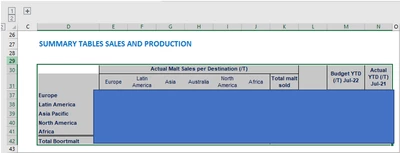
TimVierhout_2-1669736408689.png

How it appears in the powerpoint picture (I highlighted the red)
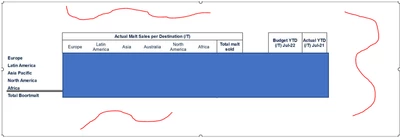
TimVierhout_1-1669736381637.png

Ideally we would not have the white spaces in the picture. Any idea on which options could be used to stear this?

With kind regards,

Tim

2 replies

Veteran
November 29, 2022

use this property to include in your alt text.

Manish_K_0-1669740059211.png


{XF}{Application}{ExcelFile}{Documents/Public/ExtensibleDocs/ExcelFileName.xfDoc.xlsx}

PageNumber=1, ExcelSheet=Sheet1, CropLeft=0, CropTop=0, CropWidth=0, CropHeight=0, Zoom=100, MaintainAspectRatio=True, FillMode=Width, Anchor=TopLeft, IncludeBorders=False


Please give kudos if it helped you.

Newcomer
November 30, 2022

Hi,

Yes we have found this. The report is coming into Excel just fine. However there are large empty spaces in the picture which we would like to have removed.

Kind regards,

Tim