

THENDRICKSON
Contributor
Aug 28, 2026 2:39 PM UTC
Question

Exporting Multiple Pivot Grid Reports into Excel

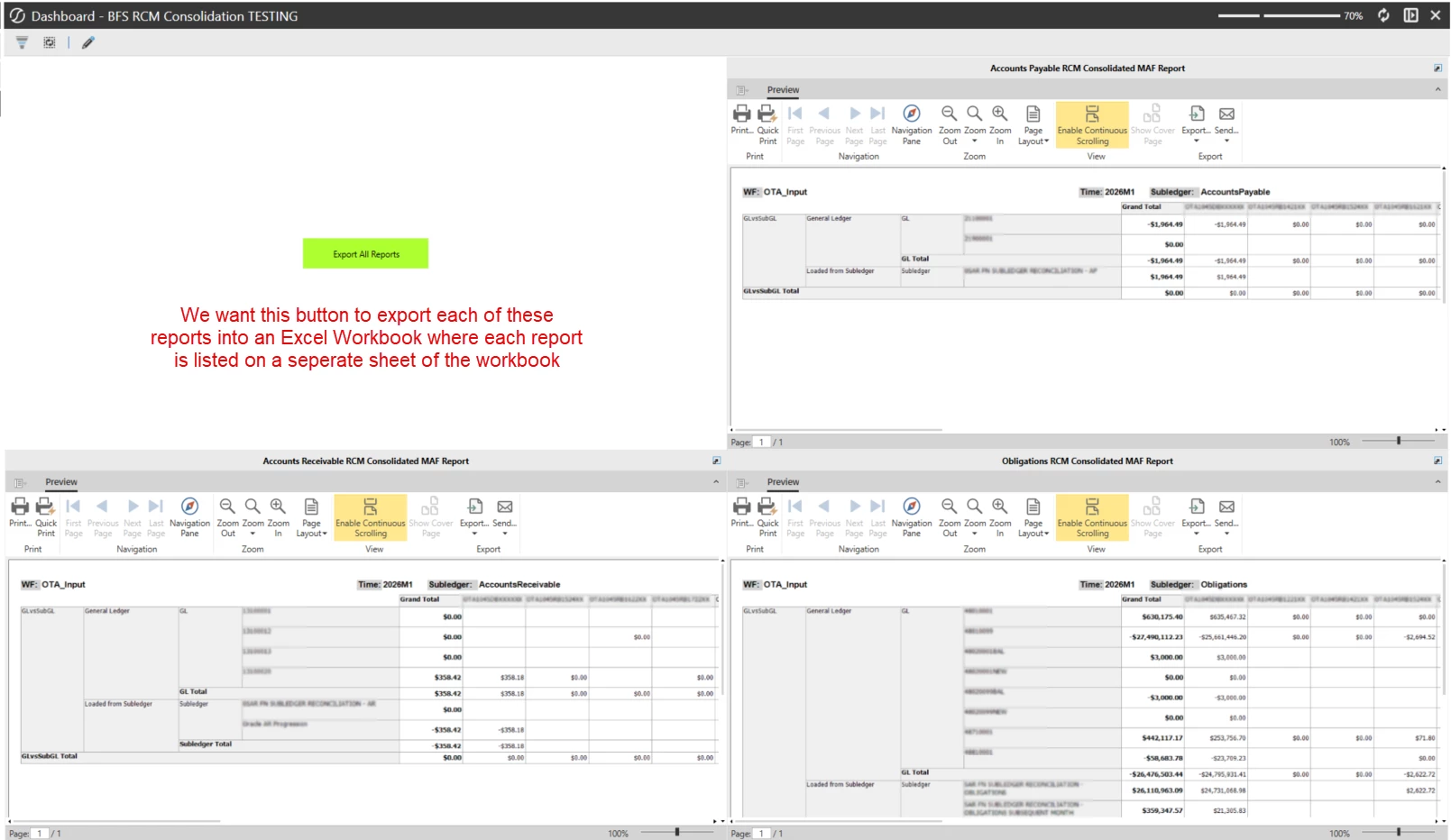
I have a Dashboard Report I am building that consists of multiple Report Components. Each report component was created using a Pivot Grid. Users would like a button to press that allows them to export all of the reports into Excel at the same time, with each report being displayed on a separate sheet of the Excel workbook. Below is a screenshot of the Dashboard for reference.

I have a Dashboard Extender Business Rule created for the export button, but I keep running into issues where I can't define the Export File Type as Excel Xlsx.

Can anyone tell me if what I am trying to accomplish is even possible and if so, how?
 

3 replies

Member
Aug 28, 2026 3:00 PM UTC

Can you recreate the pivot grids as Cube Views? If yes, then you could create a Excel Export Report Book with the 3 items included on individual tabs, and then use the button to run the Excel Export Report Book.

THENDRICKSON
Contributor
Aug 31, 2026 3:44 PM UTC

The pivot grid reports are displaying Account Reconciliation data. Is it even possible to create a cube view report based on Account Reconciliation data?

Tracy Hendrickson
Member
Sep 1, 2026 6:28 PM UTC

Based on my experience - If you can export in PDF, you should be able to run a Report Book still.  If you need Excel, you’ll have to write custom code to read the underlying tables, return the data to Excel, and then the pivot tables would need to be manual process.  Maybe someone else has other suggestions!