
Member
June 29, 2026
Question

Dashboard will not allow user to see data

  • June 29, 2026
  • 6 replies
  • 62 views

Creating a dashboard to allow select user group to see who has loaded data for forecast scenario.  Performed the following steps:


  1. Created Dashboard Group for TaskActivity
  2. Created SQL Table Editor to pull SQL TaskActivity.
  3. Assigned SQL Table Editor to Dashboard group
  4. Maintenance Unit is set to everyone for access

User cannot access the report.  Is there a setting I am missing that allows the user to view the report


We are on version 9.2.0.18004


6 replies

RobbSalzmann
Advisor
Advisor
June 30, 2026

Hi Surfhat1,

It sounds like your Dashboard that contains the report needs to be added to a Dashboard Profile and security set on the profile to allow the user to access the report.

Try adding the TaskActivity Dashboard Group to a Dashboard Profile
Then assign the user (or group the user is a member of) to that Profile’s Access Group

Surfhat1Author
Member
June 30, 2026

Hi Robb,


I set this up as a SQL table Editor - Do I need top create as a cube view?


Thanks,

Randy


RobbSalzmann
Advisor
Advisor
June 30, 2026

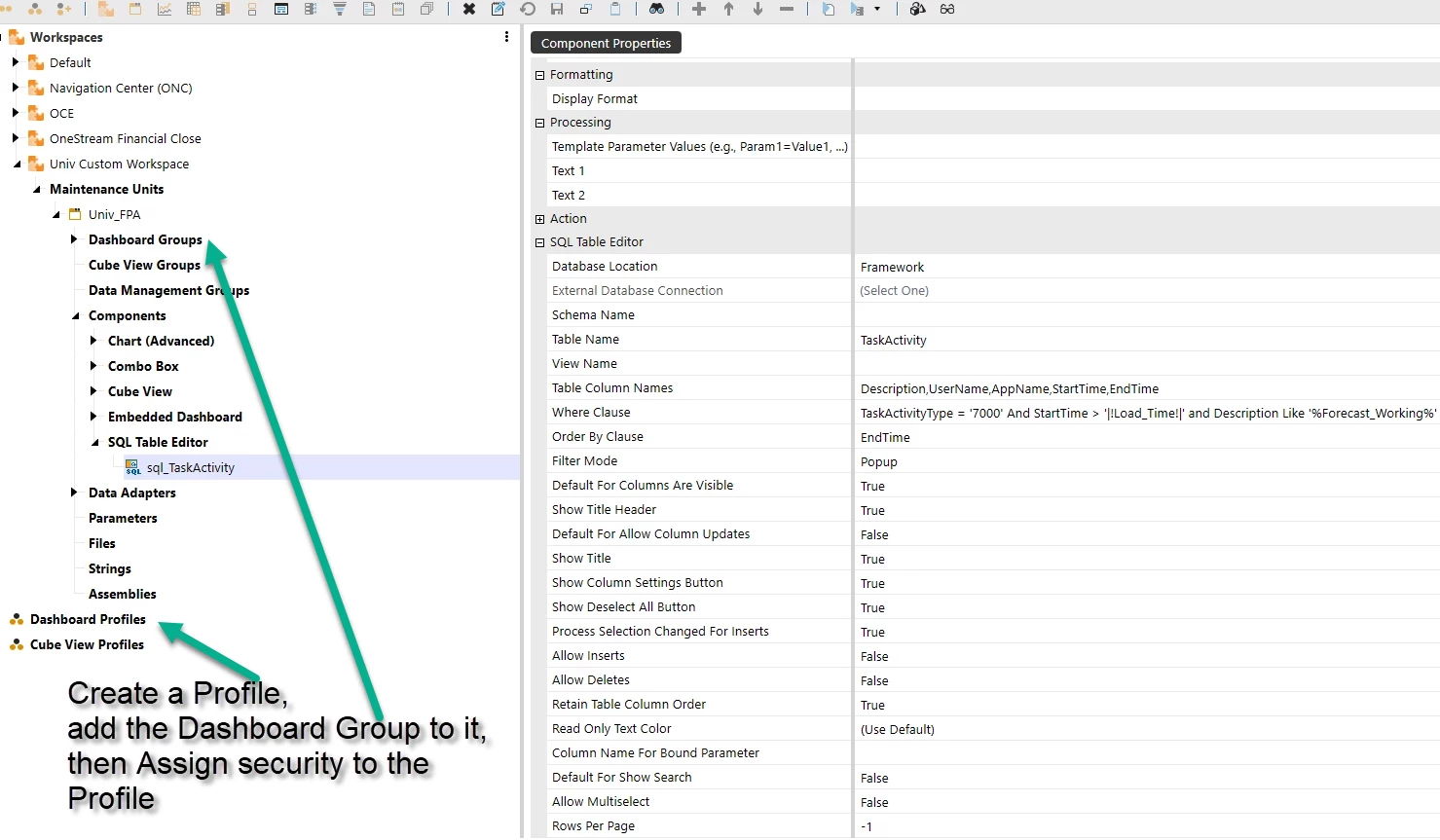
Dashboard Profiles in OneStream are a ‘link’ between access(security) and the dashboards we create in OneStream.  Create a Dashboard Profile, add your Dashboard Group to it, then assign security on the profile.  Your user needs access to the dashboard the report runs in.  Profiles is where you create that link.


RobbSalzmann
Advisor
Advisor
June 30, 2026

using your new screenshot,


Surfhat1Author
Member
June 30, 2026

Hi Robb,


Problem is that this was a platform table so I needed to create a group for these users to view the platform tables.  Once done, access was granted and they could see the data.


Thanks for the help.


Randy


RobbSalzmann
Advisor
Advisor
June 30, 2026

Got it.  When you said “Users cannot access the report” I misunderstood and took that to mean they could not see the report itself and not just the data in the report.  

Nice work figuring it out!