Contributor
January 3, 2023
Solved

Dashboard Report Style

  • January 3, 2023
  • 1 reply
  • 0 views

Happy New Year Everyone!

I am hoping someone has an example of how to use the formatting rule in OneStream Dashboard Reporting to change the style of any row in table oContent where label13 (field OFCvRAVAR in my dataset) is not zero. I think it's also possible via a script ... Have been looking in Golfstream for an example, but no luck. Thanks!
2023-01-03_08-45-46.png

Best answer by Oscar

Yes I can ... I think I stumbled upon the solution ... I will document below in case anyone needs help with conditional formatting. 

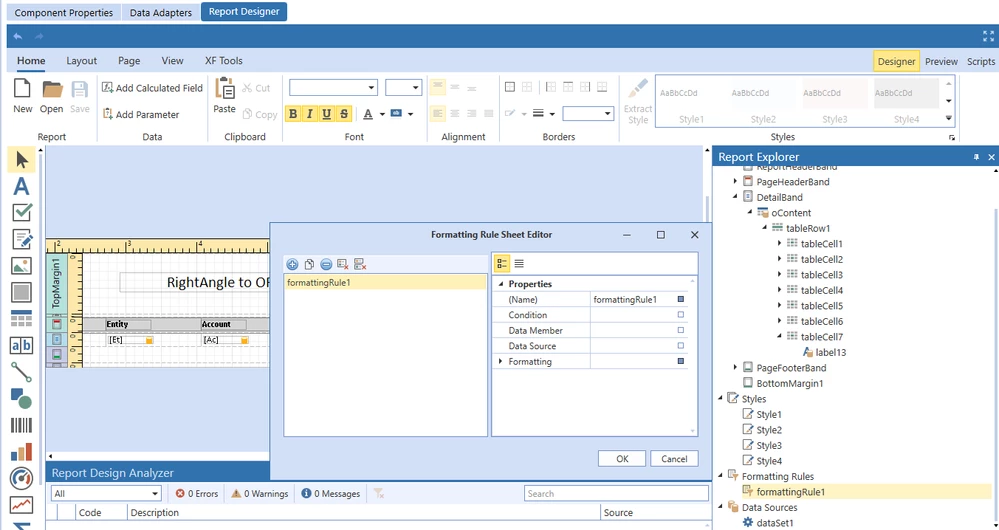
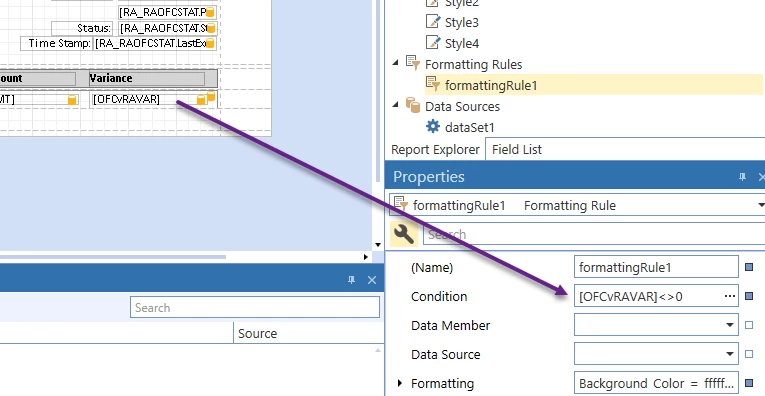
Create a Formatting Rule and assign a condition (and required formatting). In my case, I want the row in my Report Component that contains datafield OFCvRAVAR<>0 to be highlighted red.

image.png

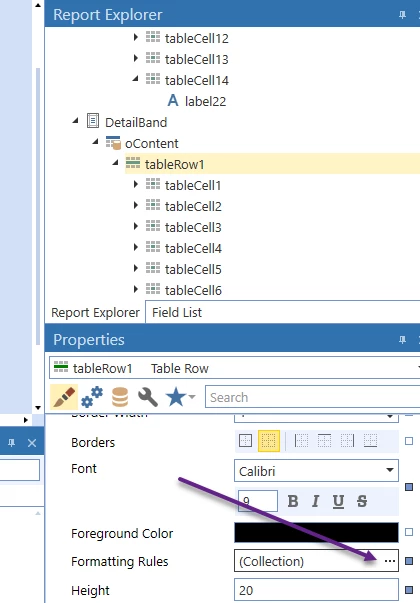
Select the row to be formatted through the Report Explorer. Select Formatting Rules ellipses

image.png


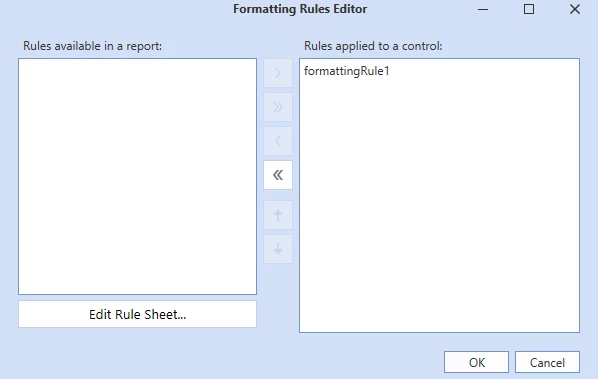
Move the Formatting Rule from Rules Available to Rules Applied

image.png

Done.

1 reply

Newcomer
January 3, 2023

Can you select the data source and data member and add a condition?

OscarAuthorAnswer
Contributor
January 4, 2023

Yes I can ... I think I stumbled upon the solution ... I will document below in case anyone needs help with conditional formatting. 

Create a Formatting Rule and assign a condition (and required formatting). In my case, I want the row in my Report Component that contains datafield OFCvRAVAR<>0 to be highlighted red.

image.png

Select the row to be formatted through the Report Explorer. Select Formatting Rules ellipses

image.png


Move the Formatting Rule from Rules Available to Rules Applied

image.png

Done.