
Newcomer
May 19, 2022

Dashboard - How to format numbers within SQL table editor?

  • May 19, 2022
  • 2 replies
  • 0 views

Hello, 

So we loaded some data to an application database, which we are accessing within Dashboard. Does anyone know how to format the table values in general? For e.g. I want the decimal to show in pct.
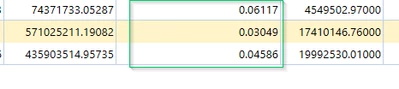
 

Mustafa_A_0-1652994999224.png

I tried to format numbers within here - but couldn't make it work. Am I missing something? Please suggest
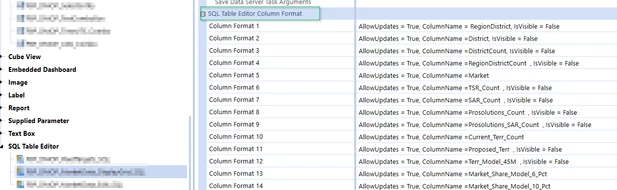
Mustafa_A_1-1652995192528.png


Thank you! 


2 replies

Contributor
May 20, 2022

Hi Mustafa_A: you can generally use the same formatting strings as what is used in Cube Views.  Full navigation instructions: use the ellipse for the column you want to format.  The setting you want is under General > DataFormatString.  Use the ellipse again to bring up the object lookup.  Navigate to Number Formats and make a selection.

db_pdx_0-1653005847151.png

Cheers,  -DB

Newcomer
May 20, 2022

Thank you! db_pdx  ChristianW 

I learned something new! That P0-P6 is a recognized formatting syntax in OS.


Looks good now - 

Mustafa_A_0-1653063586856.png


OneStream Employee
May 20, 2022

The easiest formats are n0 to n6 for 0 to 6 decimals and p0 to p6 for percentages.

Newcomer
March 26, 2024

Hello Christian,

Is there a way to format the numbers to show Red on being negative in the Sql Table Editor?


Thank You,

Indu