Newcomer
January 20, 2022

CubeView - how to hide elements depending on the time?

  • January 20, 2022
  • 2 replies
  • 0 views

Hello All,

I have two elements, let' say for example "KPI before 2020" and "KPI after 2020".

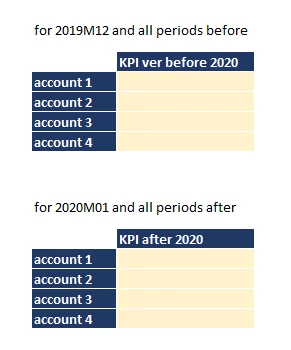
I would like to create a cube view that's shows
>>> only "KPI before 2020" when my POV time is <=2019M12
>>> only "KPI after 2020" when my POV time is >=2020M01

Currently my cube view result looks like:
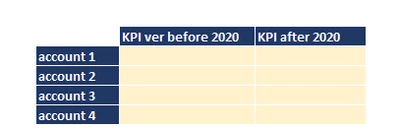
Jarek_Sadowski_0-1642703714572.png

My desired outcome:

Jarek_Sadowski_1-1642703955899.png

Any ideas how to create such cube view?

Best regards
Jarek


2 replies

Newcomer
January 20, 2022

Probably due to rubber duck effect I found a solution after I had written my question here.

  1. Put indicator that KPI is active to one of Text1-Text8 parameters, e.g.
    1. Text1 = 'Active' starting from 2016, 
    2. Text1 = 'Inactive' starting from 2020, 
  2. I used where clause in Member Filter Builder:
A#MyKPIs.Base.Where(Text1 Contain 'Active')

Despite I solved the problem, I would highly appreciate alternative solutions.

Best regards
Jarek


Newcomer
January 24, 2022

Text8 is hardcoded and doesn't depend on POV, which I thought is the requirement. But I'd look into the XFBR first, with just one XFBR driven column returning different set of KPIs depending on your POV.