
Newcomer
January 19, 2022
Solved

Create a date field

  • January 19, 2022
  • 1 reply
  • 0 views

Hi, in the getting started with BI viewer I see they make use of a date field, which enables you to drill down to quarters/months etc. How do you create such a field (I guess I have to something with the time dimension which contains my years and months). I'm struggling with finding an expression that works...
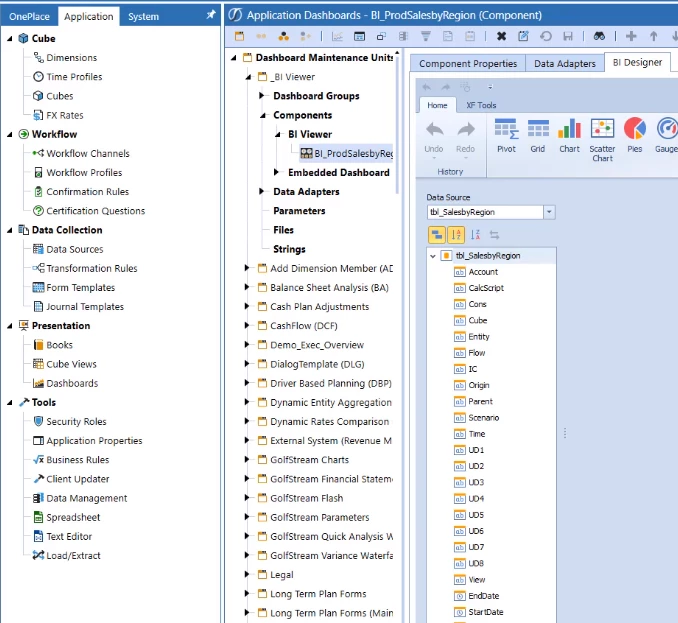
1.PNG

Best answer by Sai_Maganti

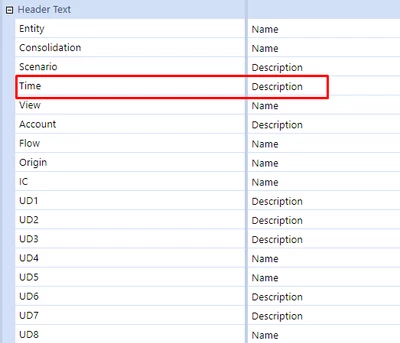
Right, I think your time dim should get descriptions rather then name into the dataset. You can change it on the data adapter under Header text to "Description". This should work as long as you have the standard time dimension. You could run the data adapter and check the data.

Sai_Maganti_0-1642697360744.png


1 reply

Newcomer
January 19, 2022

Create a DateTime calculated field and then convert your Time dim to DateTime. The when you drop this field to Arguments you'll have time functions available (Month, QTR etc)

biv.png

Newcomer
January 20, 2022

Hi Sai, thank you for the swiift response. This formula is accepted and I can select year/quarters etc...but apparently evaluates in an error (see below bar). Any idea why? See screenshot2.PNG

Newcomer
January 20, 2022

Right, I think your time dim should get descriptions rather then name into the dataset. You can change it on the data adapter under Header text to "Description". This should work as long as you have the standard time dimension. You could run the data adapter and check the data.

Sai_Maganti_0-1642697360744.png