
Contributor
June 9, 2026
Solved

Buttons: Does not aling when using browser.

  • June 9, 2026
  • 5 replies
  • 62 views

Hi

If/when we are going to move to the browser solution, I would like to have my dashboard menu to be align to left.

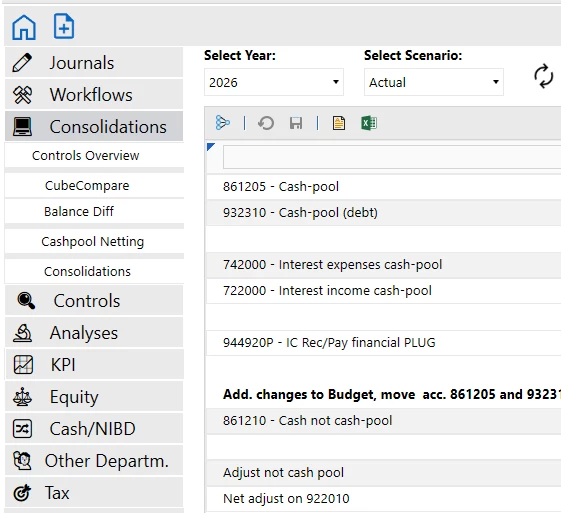
This is how it looks in the app:
 

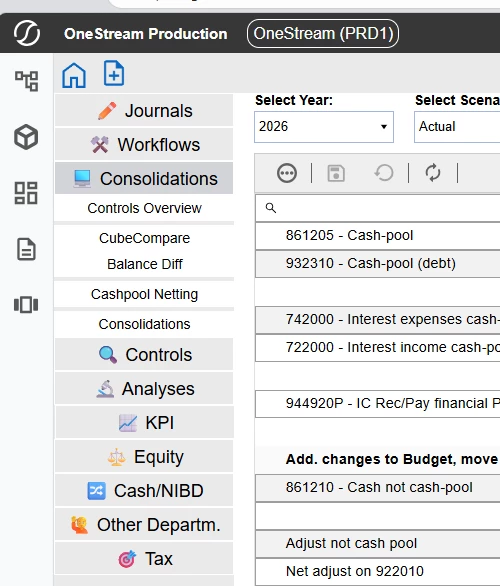
This is how it looks in browser. It is OK that icons are in colors, but I can't align the text to left. 
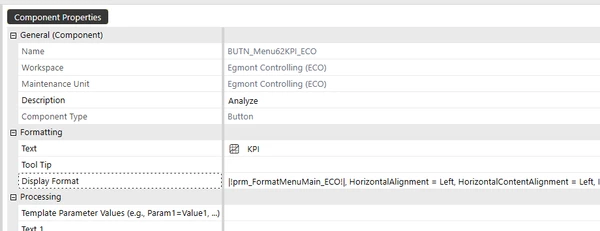
Component properties are the following (with no effect)
Any suggestion on how to align it?

Regards

Ole 
Best answer by RobbSalzmann

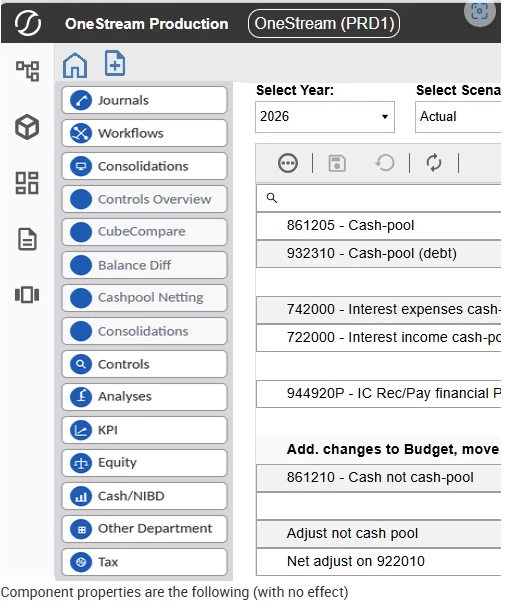
Buttons are always a struggle in OneStream.  we can get around this issue by crafting our own buttons as images with the text in the image, not relying on OneStream’s placement of the button text.  This way all that is needed to do is position the button image.  Here are some examples:

I use Claude to generate the buttons to my specifications.  Since the ‘text’ is embedded in the button image itself, I control how it aligns and don’t have to rely on adding random spacing and complicated blank labels to force the alignment.  I’ve attached the examples I created for you if you want to use them.


5 replies

Advisor
June 16, 2026

Hi Ole_S_P​ 

I think the inconsistent formatting issue is that you are using a Unicode (Text) image and actual Text on the same Text property of the button(s). 

If you switched approach to use a Button (for the Image) and a Label (for the Text), for example.  Then you should be able to achieve what you are looking for on Windows Client and Browser (BUX) consistently.  Use the Dashboard Layout Type Grid and setting 2 columns and 10 rows (as per your screenshot) and you have greater control over the width of both columns and you also have more control over component level formatting (e.g. embedded in this dashboard) with this option. E.g.

There are currently some small nuances between Client and BUX.  An approach like the above would solve for this.  Obviously you end up with more components e.g. the Labels.  But these days we can do more with less e.g. Dynamic Dashboards

The use of Unicode for your images instead of a Workspace file, for example is the reason that it renders with colours in BUX e.g. differently to Windows Client. 

Hope this helps

Sam

Ole_S_PAuthor
Contributor
July 6, 2026

I do understand your solution, and it will be working. Please do not take it personal, but I find it distracting, that the button only works on the icon and not on the text. In e.g. excel you can push both icon and text.


RobbSalzmann
Advisor
Advisor
July 7, 2026

Buttons are always a struggle in OneStream.  we can get around this issue by crafting our own buttons as images with the text in the image, not relying on OneStream’s placement of the button text.  This way all that is needed to do is position the button image.  Here are some examples:

I use Claude to generate the buttons to my specifications.  Since the ‘text’ is embedded in the button image itself, I control how it aligns and don’t have to rely on adding random spacing and complicated blank labels to force the alignment.  I’ve attached the examples I created for you if you want to use them.


Ole_S_PAuthor
Contributor
July 8, 2026

Hi. 

Thanks for the answer and the files. I really appreciate it.


But can you reveal the size etc of the icons - and how you asked AI to make them. I am thinking of size, icon, font etc.

RobbSalzmann
Advisor
Advisor
July 8, 2026

In this case I used 145×34 per button.  I gave AI some examples and used the prompt to describe how I want the buttons to look, colors, icons, 3d or 2d, font, alignment, etc.