
Book to present P&L by location
This is my first time creating a book. I'm working on creating a book that presents an income statement by location. The ideal outcome is that the IS is displaying location at the top and each subsequent page displays a child location member.
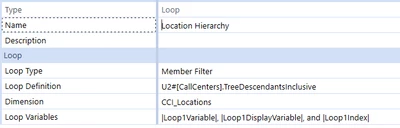
I have my loop setup as a member filter that references the location dimension as shown below.
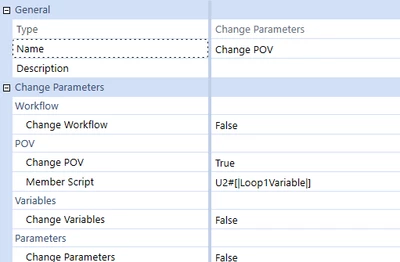
My change parameter is setup to change the POV.
When I preview the book it's still showing location at TOP for all the pages instead of showing TOP and then each location base member.
Any suggestions on how to fix this or any literature would be appreciated.
Thanks.