
Newcomer
January 21, 2022
Solved

Add variance for scenario in BI Viewer component

  • January 21, 2022
  • 2 replies
  • 0 views

Hi, I have two question in one:

1. I'm trying to add a variance column in a Pivot in BI Viewer for amounts that are split by 2 scenario's, actuals and budget. What is the most practical way to do this? I thought I would add a variance in my cube view used in the cube view md adapter but this is not picked up by BI Viewer.

2. Can I sort this variance column by the amount value?
Best answer by Sai_Maganti

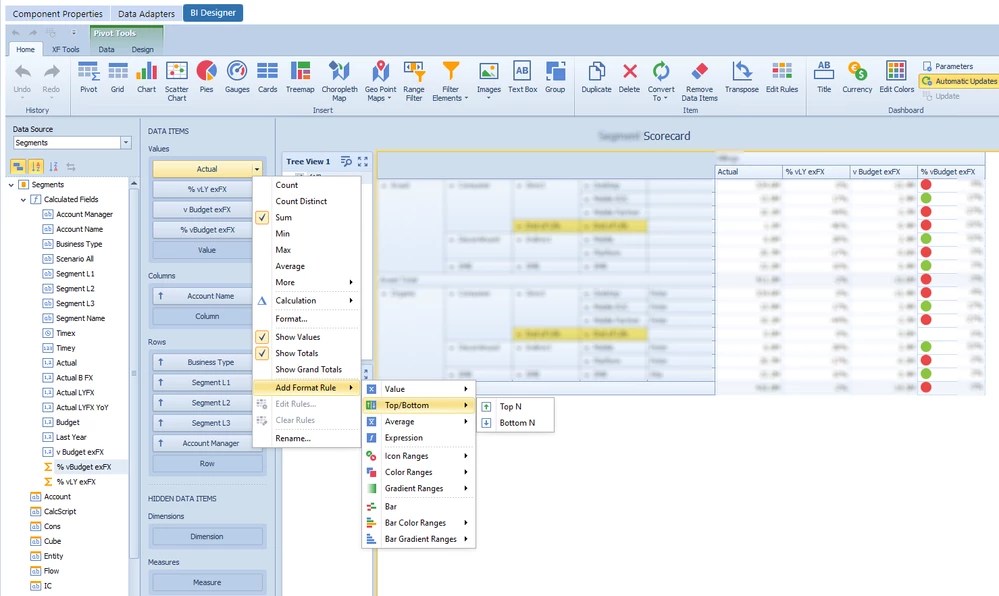
1. While using CV MD adapter you won't get any calcs from CV etc. The trick is to create the following calculated fields of decimal type in BI Viewer

Actual, Expression = Iif([Scenario] = 'Actual', [Amount], 0)
Budget, Expression = Iif([Scenario] = 'Budget', [Amount], 0)
vBudget, Expression = [Actual] - [Budget]
and then if you wish can calculate vBudget% etc..

Use the above calculated fields on your pivot for values and use other dimensions for columns and rows

2. The sorting options are available on the columns and rows

biv.png

2 replies

Newcomer
January 21, 2022

1. While using CV MD adapter you won't get any calcs from CV etc. The trick is to create the following calculated fields of decimal type in BI Viewer

Actual, Expression = Iif([Scenario] = 'Actual', [Amount], 0)
Budget, Expression = Iif([Scenario] = 'Budget', [Amount], 0)
vBudget, Expression = [Actual] - [Budget]
and then if you wish can calculate vBudget% etc..

Use the above calculated fields on your pivot for values and use other dimensions for columns and rows

2. The sorting options are available on the columns and rows

biv.png

Newcomer
January 24, 2022

Hi Sai,

thanks for this practical solution, works great this way to create calculated columns. However, I am not sure still how to sort the pivot by the values in the delta column. Yes I could add the delta column to the rows, but that makes the pivot 'unreadable'. See the two screenshots below:

1.PNG

2.PNG


Newcomer
January 24, 2022

Glad it worked out.

Regarding sorting, you can't use "delta" in the rows. Just click on the UD1 on the Rows and you will get sorting options for your value columns. See the screen shot below:

biv.png

Newcomer
February 1, 2022

Hi Sai,

thank you this seems like a very suitable solution as we don't have that much different scenario's in use. So I'm trying to do this, step 2 and 3 I think are ok. Step 1 and 4 is actually one step am I right? When I try to create the measure I see this unfortunately, not sure why?

2.PNG

Newcomer
February 1, 2022

Yes step 1,4,5 are one. For adding the parameter in your expression the syntax would be ?pScenario1

Newcomer
February 1, 2022

Perfect, that's it. Still getting used to the syntax! Many thanks. I've a last question regarding this BI project if I may. 

I notice that in a pivot I can only sort rows/columns when in the BI designer, but the user cannot when viewing the dashboard. This would be great though as sometimes variance between actuals and budget is positive and sometimes it is negative.... See Q2 and Q3 below. Q3 is drilled down in the pivot below but I'm not looking for the positive variances for Q3 🙂 Any solution that is reasonably practical is welcome.

3.PNG