Aug 10, 2021 3:39 PM UTC

We have a Flow member that we want to calculate only when a different member has an amount present. How can we write this calculation?


Answer

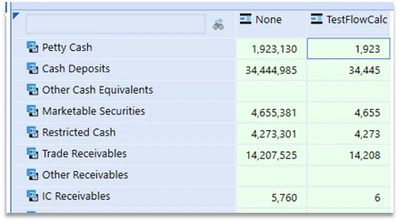
If the member you’re checking to see if a value is present is part of the calculation inputs, then you can use the RemoveZeros or RemoveNoData functions in the formula:

 OSAdmin_0-1628186485817.pngOSAdmin_1-1628186495871.png

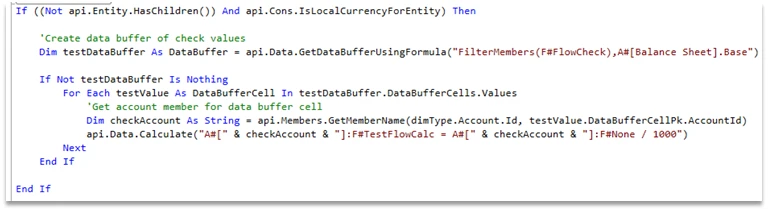
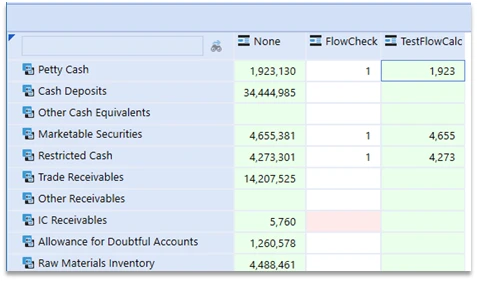
If the member you’re checking is NOT part of the calculation inputs, then you can accomplish using a Data Buffer (alternately, an EVAL statement):


 

OSAdmin_2-1628186515685.png


OSAdmin_3-1628186524505.png


Source: Office Hours 2020-12-17 Partner Enablement