Hi DGC
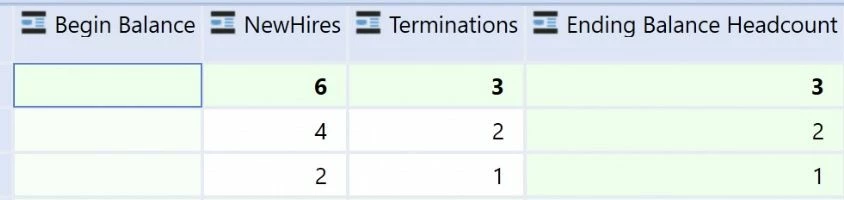
If you only like to show the beginning balance in a cubeview, you don't need a rule, you can specify the pov F#EndingBal:T#PovPriorYearM12 directly in a column of the cubeview.
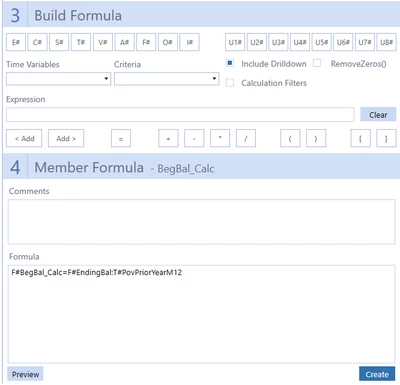
If you like to store the information in a dedicated flow member you can do use a member formula as well.
Here it is the simplest possible solution:
api.Data.Calculate("F#BegBal_Calc=F#EndingBal:T#PovPriorYearM12")
If you like, you can create a drill down path as well
'Simple formula drill down
Dim result As New DrillDownFormulaResult()

'Define Explanation to be shown in drill title bar
result.Explanation = "Roll Forward: F#BegBal_Calc = F#EndingBal:T#PovPriorYearM12"

'Add a row below per each drill result to be shown
result.SourceDataCells.Add("F#EndingBal:T#PovPriorYearM12")

Return result
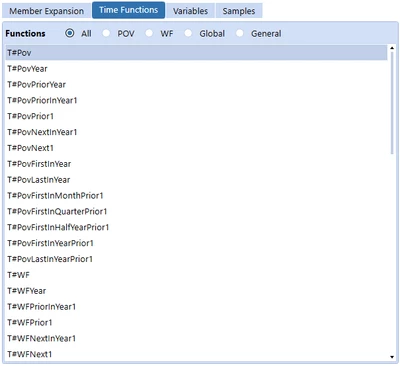
There are more advanced time functions to use than T#PovPriorYearM12 but it is the easiest to understand.
I hope this helps and kind regards
You can also use the member formula builder from the market place solution administrator solution tools: