Member
Nov 5, 2026 5:56 PM UTC
Solved

Cube View Component Border Removal

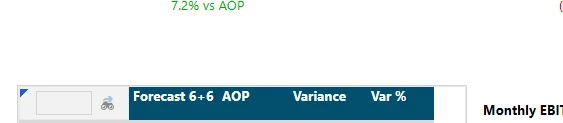
I have tried everything, how on earth can I get the gray border of the cube view component in my dashboard removed???? 


Bonus points if you know how to get rid of the search/filter box in the cube view too. 
 

JJonesAnswer
OneStream Employee
Nov 10, 2026 8:45 PM UTC

The search bar is part of the cube view data explorer component itself which is how this is displayed inside of the dashboard.

The gray border is also part of the data explorer.

You could insert a data explorer report and attach the cube view as a data adapter to the data explorer report and insert this component into your dashboard if you want this to show as a report format vs the grid format with rows and columns.

1 reply

JJonesOneStream EmployeeAnswer
OneStream Employee
Nov 10, 2026 8:45 PM UTC

The search bar is part of the cube view data explorer component itself which is how this is displayed inside of the dashboard.

The gray border is also part of the data explorer.

You could insert a data explorer report and attach the cube view as a data adapter to the data explorer report and insert this component into your dashboard if you want this to show as a report format vs the grid format with rows and columns.
