Newcomer
December 16, 2025
Solved

Audit report for Load

  • December 16, 2025
  • 3 replies
  • 0 views

Hi experts,

Is there any audit report, to see
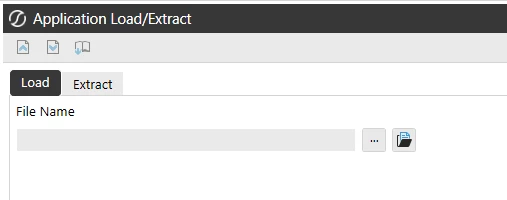


Who did the Load ?
When did it happen?
What XML file is used to Load?

I could not find it in the Navigation center?

//Suresh

Best answer by MarcusH

There isn't a separate audit table for loading XML files. The information is saved to the TaskActivity table though (this is in the Framework database). You can retrieve it like this:

SELECT Description, UserName, AppName, StartTime, EndTime
FROM   TaskActivity
WHERE (AppName = 'myappname') AND (TaskActivityType = 15000)


3 replies

MarcusHAnswer
Expert
December 17, 2025

There isn't a separate audit table for loading XML files. The information is saved to the TaskActivity table though (this is in the Framework database). You can retrieve it like this:

SELECT Description, UserName, AppName, StartTime, EndTime
FROM   TaskActivity
WHERE (AppName = 'myappname') AND (TaskActivityType = 15000)


Newcomer
December 17, 2025

Thankyou MarcusH

It helps. Its unfortunate, that we need to build and it is not available as standard report.
It is needed to be SOX complaint.

OneStream Employee
December 20, 2025

Hi suresh_klarna​

Depending on the type of xml loaded you are going to be updating different elements in onestream e.g metadata xml affects metadata only, workflow xml only affects workflows, etc

So depending on what xml you are loading will impact what elements you are checking audit history for

There are audit tables in onestream that capture all of these changes depending on what has been updated through xml load

This is what you need for audit and the Standard Application Reports solution on Solution Exchange covers audit reports based on this logic

Hope this helps clarify 

Sam

Newcomer
December 20, 2025

Hi Sam,

Thanks for input.

Unfortunately, not all changes is captured in audit tables. 
For example: If you add a button to dashboard, the change is not captured in audit tables