
Newcomer
March 29, 2023
Solved

Cube View Formatting

  • March 29, 2023
  • 2 replies
  • 0 views

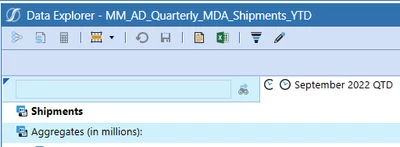
Does anyone know how to format the object lookup cell in the cubeview? We currently have formatting on the cube view as follows. 


If(IsRowNumberEven = True) Then
   BackgroundColor = #FFFFFFFF, *white*
   ExcelBackgroundColor = #FFFFFFFF,
Else
   BackgroundColor = #FFCFF0FC, *blue*
   ExcelBackgroundColor = #FFCFF0FC,
End If

If (RowName contains 'NoZebra') or (IsColHeader = true) then
   BackgroundColor = #FFFFFFFF, *white*
   ExcelBackgroundColor = #FFFFFFFF, 
end if
 

jordielane_0-1680099124825.png

In some of our reports we use IsRowNumberEven = False, but in this case I need the odd rows to be blue, but since it counts the column headers I don't know how to get around this. 

 

Best answer by JackLacava
BackgroundColor = #FFFFFFFF
if RowName <> '' then 

	If(IsRowNumberEven = True) then
	   BackgroundColor = #FFFFFFFF, 
	   ExcelBackgroundColor = #FFFFFFFF,
	Else
	   BackgroundColor = #FFCFF0FC, 
	   ExcelBackgroundColor = #FFCFF0FC,
	End If

	If (RowName contains 'NoZebra') or (IsColHeader = true) then
	   BackgroundColor = #FFFFFFFF, 
	   ExcelBackgroundColor = #FFFFFFFF, 
	end if

end if

JackLacava_0-1680185196629.png


2 replies

OneStream Employee
March 30, 2023

I'm not sure I follow. The color of the object lookup cell is determined by the default header format:

JackLacava_0-1680166589892.png


Newcomer
March 30, 2023

Yes, the conditional formatting I have above that determines the alternating row format is in the default header format. I want that cell to be white, like the other column headers, but when I use IsColHeader = True it doesnt affect that cell and leaves it blue. I'm trying to find a way to format that specific cell to override the the alternating color formatting like I did with the column headers. 

OneStream Employee
March 30, 2023
BackgroundColor = #FFFFFFFF
if RowName <> '' then 

	If(IsRowNumberEven = True) then
	   BackgroundColor = #FFFFFFFF, 
	   ExcelBackgroundColor = #FFFFFFFF,
	Else
	   BackgroundColor = #FFCFF0FC, 
	   ExcelBackgroundColor = #FFCFF0FC,
	End If

	If (RowName contains 'NoZebra') or (IsColHeader = true) then
	   BackgroundColor = #FFFFFFFF, 
	   ExcelBackgroundColor = #FFFFFFFF, 
	end if

end if

JackLacava_0-1680185196629.png


Veteran
March 30, 2023

Hey!
You can not change that. Onestream considers that the first row is actually the header. That means that odd are always the line with the headers. 
Do you think you could use  IsRowNumberEven = True instead?

Newcomer
March 30, 2023

Yes, we have it switched in other reports but in a few of our reports we need the first row of data to be white so all the odd rows need to be blue. I was hoping there was a way to directly reference that cell to format it, but it seems there isn't.